
rive-mcp
Create, edit, inspect, render and live-preview Rive (.riv) animations from Claude — no Rive editor, no cloud, no subscription.
rive-mcp is a free MCP (Model Context Protocol) server that gives Claude (or any MCP client) full control over .riv files. Unlike the official Rive MCP (which requires the editor running) or paid third-party servers, it works with nothing but a .riv file — and it can even build .riv files from scratch by serializing the binary format directly.
Rendering runs the official Rive runtime (@rive-app/canvas-advanced WASM) inside headless Chromium, so what you see is exactly what ships.
Highlights
- Generate
.rivfrom JSON — shapes, gradients, embedded PNGs, text, bones + skinning, IK, mesh deformation, keyframe animation with easing, multi-layer state machines, listeners, events, physics baking, particles, embedded audio (WAV/MP3/FLAC) fired from the timeline or a state machine - Pro-quality by construction — 28 semantic motion presets (
pop-in, staggeredrise-in,breathing,stagger-in,parallax-drift,shimmer, …) with professionally tuned amplitudes/easings, an OKLCH design-token generator (riv_design_tokens), motion-quality lint rules (robotic linear movement, teleports, missing stagger), and a one-call critique loop (riv_critique: frames + objective metrics + scoring checklist) - Real vector art pipeline — import SVG (Figma/Illustrator/Iconify, or npm SVG sets like
@twemoji/svgwhen offline) as true bezier paths (riv_import_svg,riv_asset_search), decompile existing.rivfiles into editable specs including gradients, blend modes and hand-tuned animation tracks (riv_decompile), plus trim paths (draw-on), clipping masks, blend modes (multiplyshadows,screenglows), follow-path motion, solos and detached bezier handles in the scene spec - Losslessly edit existing
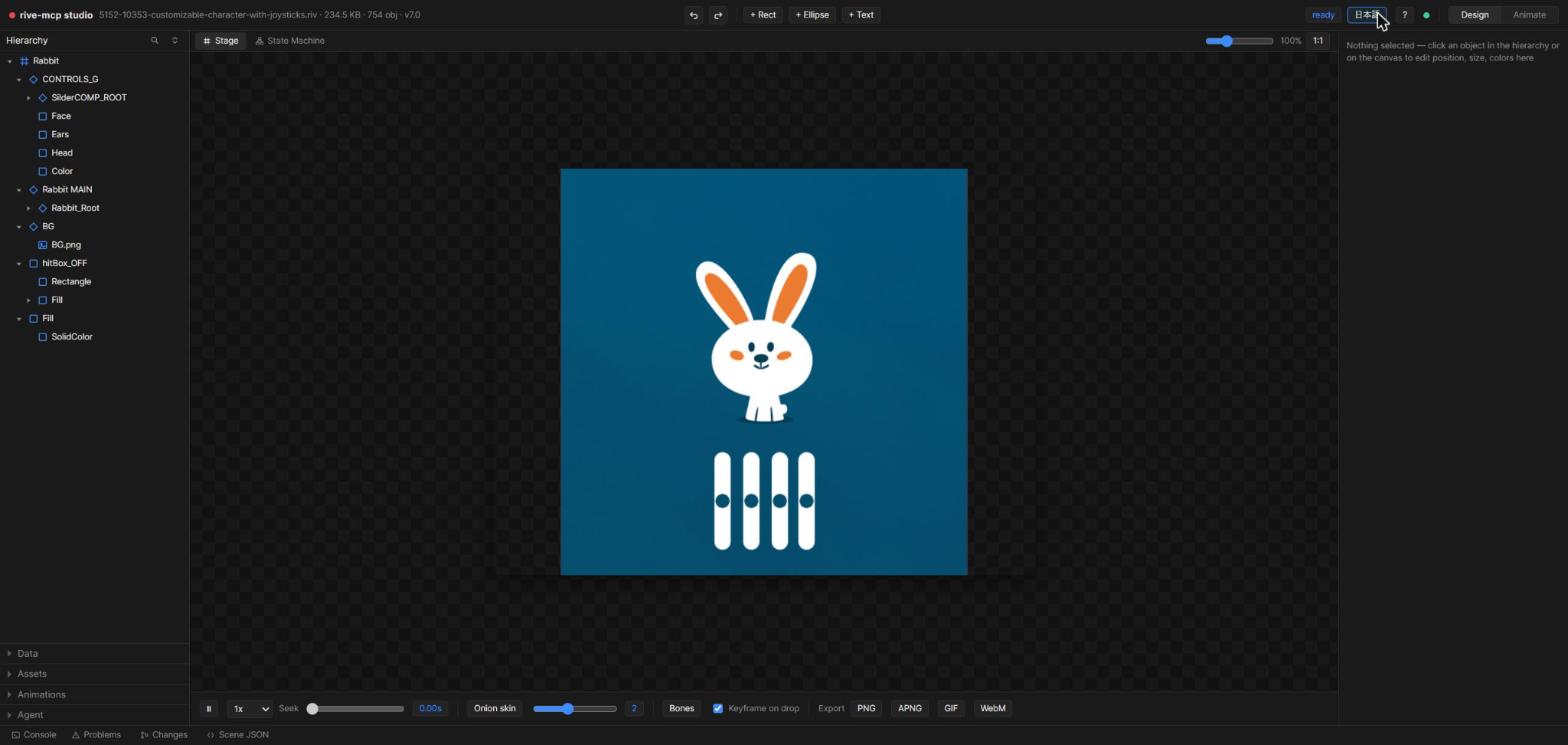
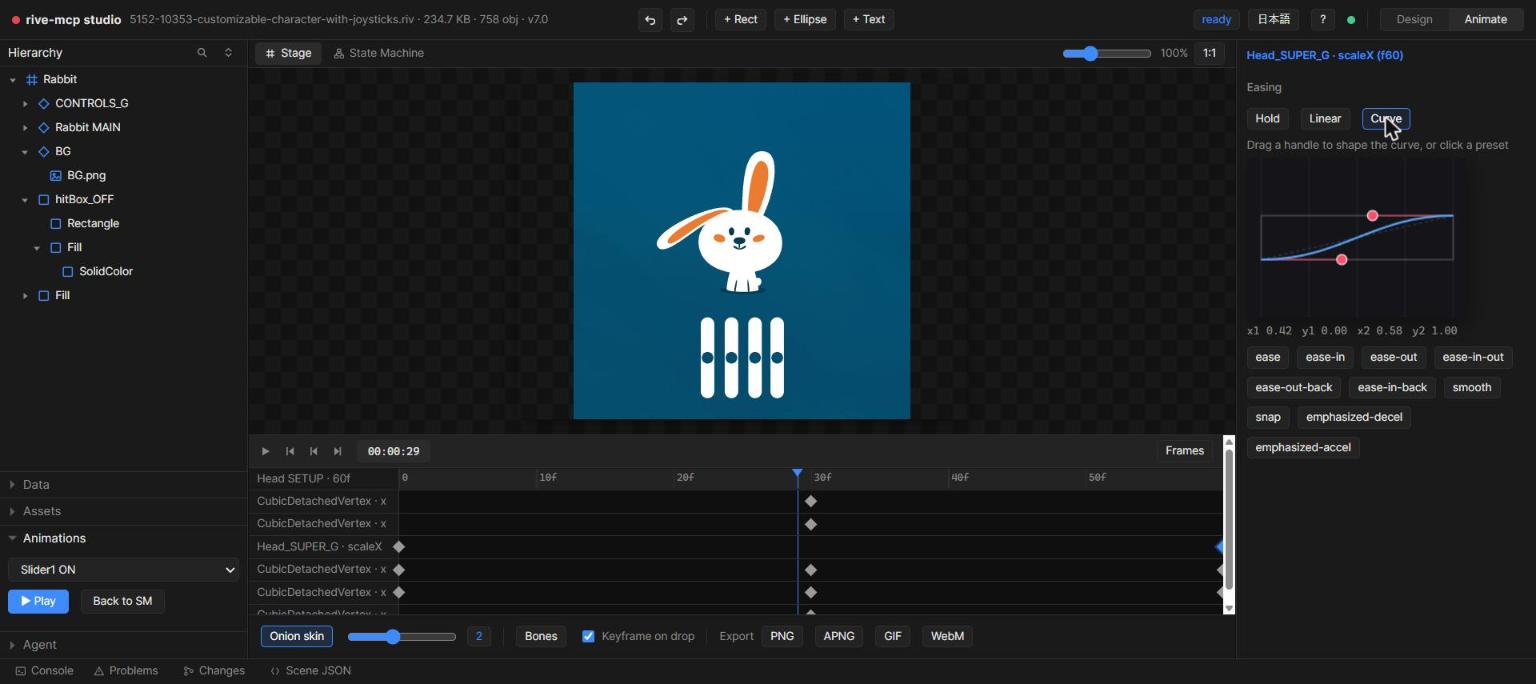
.riv— change any property, swap text, delete subtrees (references auto-remapped); round-trip verified pixel-perfect - Local web Studio — Rive-editor-style 3-pane UI (hierarchy / canvas with click-select & drag / inspector / timeline) with hot reload; edits apply live. Also includes a bezier curve editor for hand-tuning keyframe easing (drag control points, hold/linear/cubic switching, 10 one-click presets), a state machine graph view (node graph of layers/states/transitions with lint findings and live-playback state highlighting), and an onion skin overlay (0-5 surrounding frames) for checking motion at a glance
- Studio keeps growing — drag-and-drop image replacement for embedded assets (lossless swap), multi-artboard tabs, named snapshot save/restore/delete, dope-sheet marquee/Shift-click multi-select with grouped drag and Ctrl+C/V copy-paste, and a bone overlay with FK drag-to-pose that bakes straight to a keyframe
- Human ⇄ AI loop — a two-way Agent chat in the Studio: you type feedback (with the current selection/artboard/animation/time attached), the AI picks it up via
riv_studio_notes, fixes the file, and replies into the same thread; your browser updates instantly
Tools (32)
Screenshot → animated prototype

riv_ui_detect reads a UI screenshot into an element tree with a numbered
overlay; assign a role to each element and riv_ui_prototype writes a working
.riv. Panels come back as editable vector rectangles, pictures as image slices,
and text is cut out with a real alpha matte where the colour model holds — where
it does not, the element fades in place instead of moving, and says so. The
detector's limits are measured rather than asserted: see
docs/ui-screenshot-to-prototype.md.
If you still have the vector source, pass svgPath instead of imagePath to
the same two tools — Figma's right-click → Copy as SVG, or any Illustrator
export. Nothing is estimated then: rectangles, fills, corner radii and the
parent/child tree are read out of the file, artwork keeps its real bezier
vertices, <text> becomes editable Rive text (pass fonts for the design's own
faces; a run whose glyphs are missing is baked as a picture rather than as tofu,
always with a warning), embedded <image> data becomes an image asset, and Figma
layer names arrive as role hints. Nothing is fetched over the network — unless
you opt in by setting FIGMA_TOKEN, which enables a figmaUrl argument that
pulls one frame straight from Figma's REST API; without the variable that
argument errors and no request is made, and no other tool reads it. Rive's
editor has accepted pasted SVGs since 2023; what these two calls add is that no
editor and no person are in the loop, and that the roles bring the motion —
entrances, ambient loops and hover/press states — with them.
Showcases: professional assets in, professional motion out
Four sample scenes are built end-to-end by the pipeline, each rebuildable with node samples/<name>/build-scene.mjs:
samples/weather-widget/— the hero animation above: a UI weather card that cycles sunny → rain (with a lightning flash) → sunny on one looping timeline. Twemoji sun/cloud/bolt imported as SVG, colors fromriv_design_tokens, ambient motion from presets, everything clipped to the card.samples/cosmic-journey/— every piece of artwork is professionally designed (Twemoji rocket, ringed planet, moon, stars, comet — fetched as SVG via npm and converted withriv_import_svg); colors fromriv_design_tokens, motion from presets, composition fixed through theriv_critiqueloop.samples/night-delivery/— remixes a professional.riv: Rive's official truck (hand-drawn bezier art and its hand-tuned wheel/body animation tracks) is extracted withriv_decompileand composed into a new night scene with a Twemoji moon, scrolling road and ascreen-blended headlight beam.samples/launch-success/— hand-authored SVG + tokens + presets + TrimPath draw-on + particles + intro→idle state machine. Twemoji artwork © Twitter/X and contributors, CC-BY 4.0; truck artwork from Rive's official example files.
Design quality guidance
riv_create output can look like flat "AI placeholder" shapes if a client just wings the scene spec. The server bakes quality in structurally — the recommended flow for any non-trivial scene is:
riv_design_tokens→ use only the returned palette/gradients/durations/easings (never invent raw hex or ad-hoc timings)riv_createwith motionpresetsinstead of hand-authored keyframes wherever one fitsriv_critique→ look at the frames, score the 6-axis checklist, fix anything below 4, re-run (at least twice)
The same workflow plus hand-authoring craft rules (bezier curves, easing semantics, rigging) is exposed as the rive-design-guidelines MCP prompt. It also carries numeric recipes (spacing/timing tokens, composition & layering rules, anti-patterns to avoid) across 6 dedicated sections. For clients without MCP prompts support, it ships as a portable skill file at skills/rive-design-guidelines/SKILL.md.
Quick start
Claude Code plugin (recommended) — one install gets the MCP server, the design-guidelines skill, and the rive-designer agent:
/plugin marketplace add ODU33104/rive-mcp
/plugin install rive-mcp@rive-tools
Or install from npm:
npm install -g rive-mcp-server

# Register with Claude Code (user scope = available in every project)
claude mcp add --scope user rive -- rive-mcp
Or run from source:
git clone https://github.com/ODU33104/rive-mcp.git
cd rive-mcp
npm install
npm run build
claude mcp add --scope user rive -- node /absolute/path/to/rive-mcp/dist/index.js
A Chromium-based browser is auto-detected in this order (usually nothing to install):
RIVE_MCP_CHROMEenv var (path to Chrome/Edge executable)- Playwright browser cache
- Installed Chrome → Edge
Requires Node.js 20+.
The Studio: human ⇄ AI collaboration
riv_studio opens a local web page where a human can inspect, directly edit, and request changes to whatever the AI built (first-run guide included, UI in English/Japanese):
- Let the AI build — "create a bouncing-ball riv and open it with riv_studio"
- Touch it — click/drag objects on the canvas, tweak numbers & colors in the inspector (applies live)
- Ask the AI — type bigger changes into the Agent panel, then say "check the studio notes" in chat
- When the AI edits the file, the browser hot-reloads instantly — and it writes back what it changed, in the same chat
Works without a scene JSON too: any .riv can be edited property-by-property through the hierarchy + inspector.

Feature tour
Laid out like the editor you already know — the Studio follows the official Rive editor's operating model: a Design / Animate mode switch, a Hierarchy panel with Expand All / Collapse All / Deep Expand / Deep Collapse on right-click and a name filter, Data / Assets / Animations / Agent accordions along the bottom of the left panel, and a Console / Problems / Changes status bar at the very bottom (Problems is wired to the same static checks as riv_lint, and clicking a finding jumps to it in the state-machine graph).
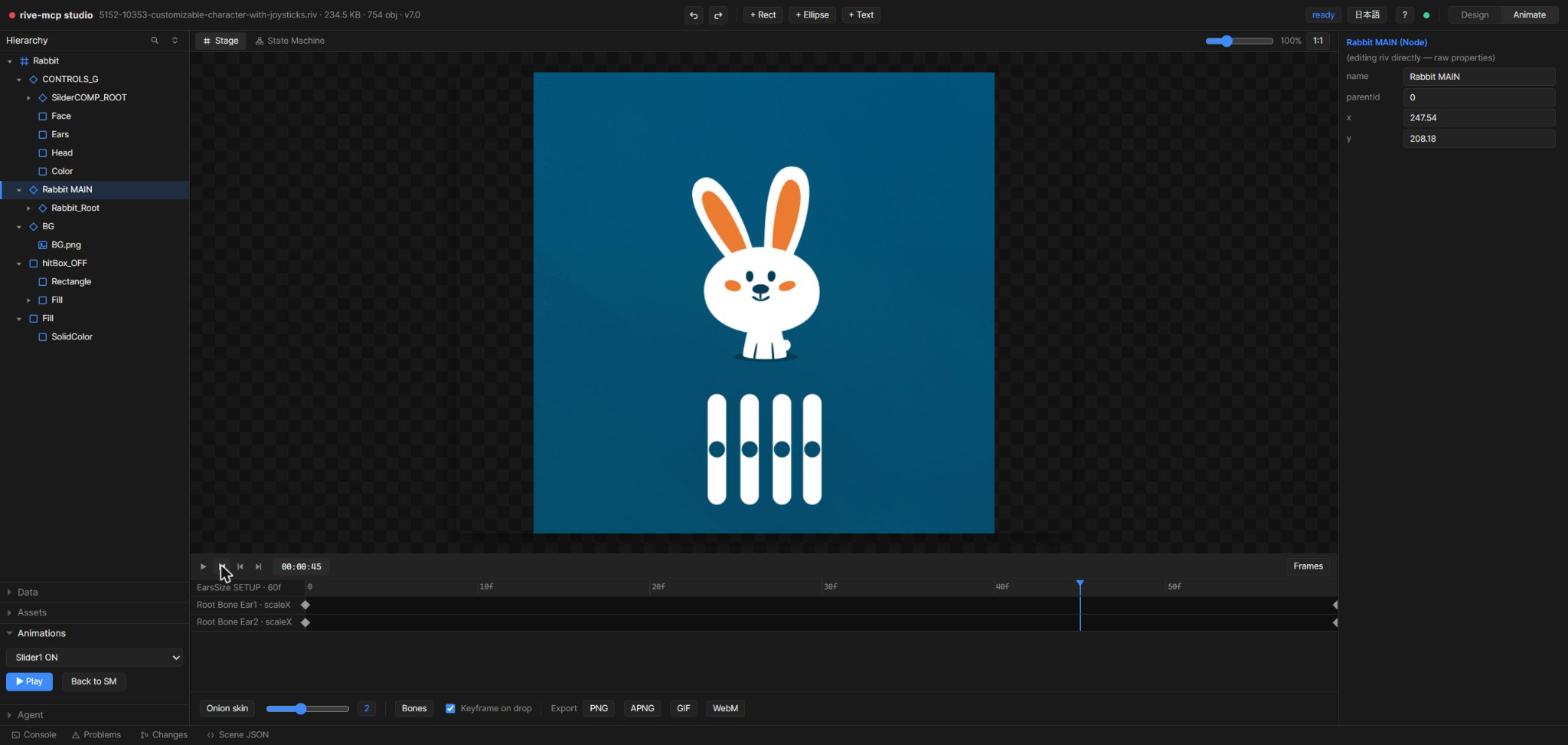
Keys are created where you'd expect them — in Animate mode every animatable inspector row grows a diamond key button with three states: hollow (no track), outlined blue (animated but no key under the playhead), filled blue (keyed here). Click to key or unkey at the playhead. The dope sheet below is for reading and rearranging what's already there.
Multiple artboards & snapshots — switch between a file's artboards with a tab bar, and save, restore or delete named snapshots of your edits — a separate history from undo/redo.
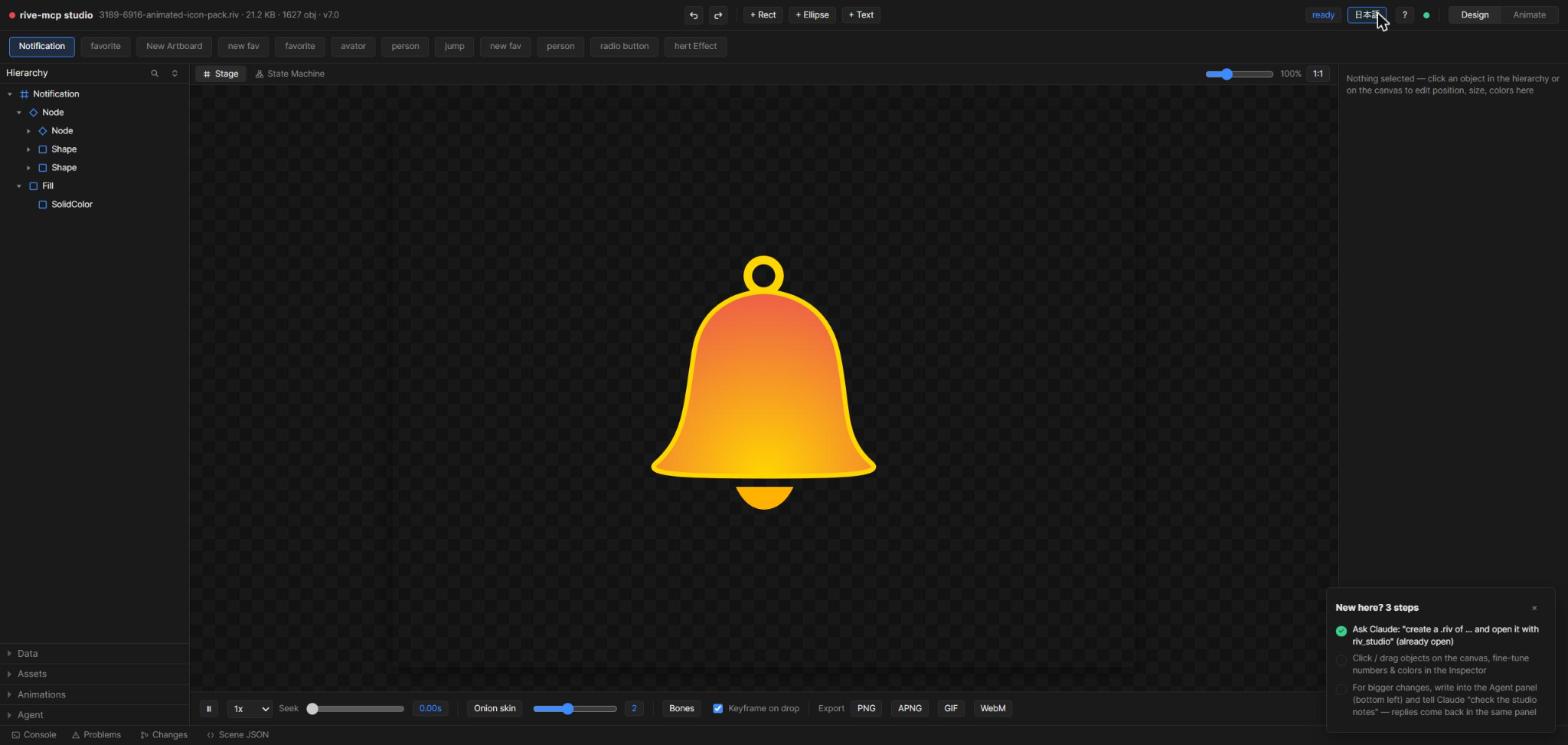
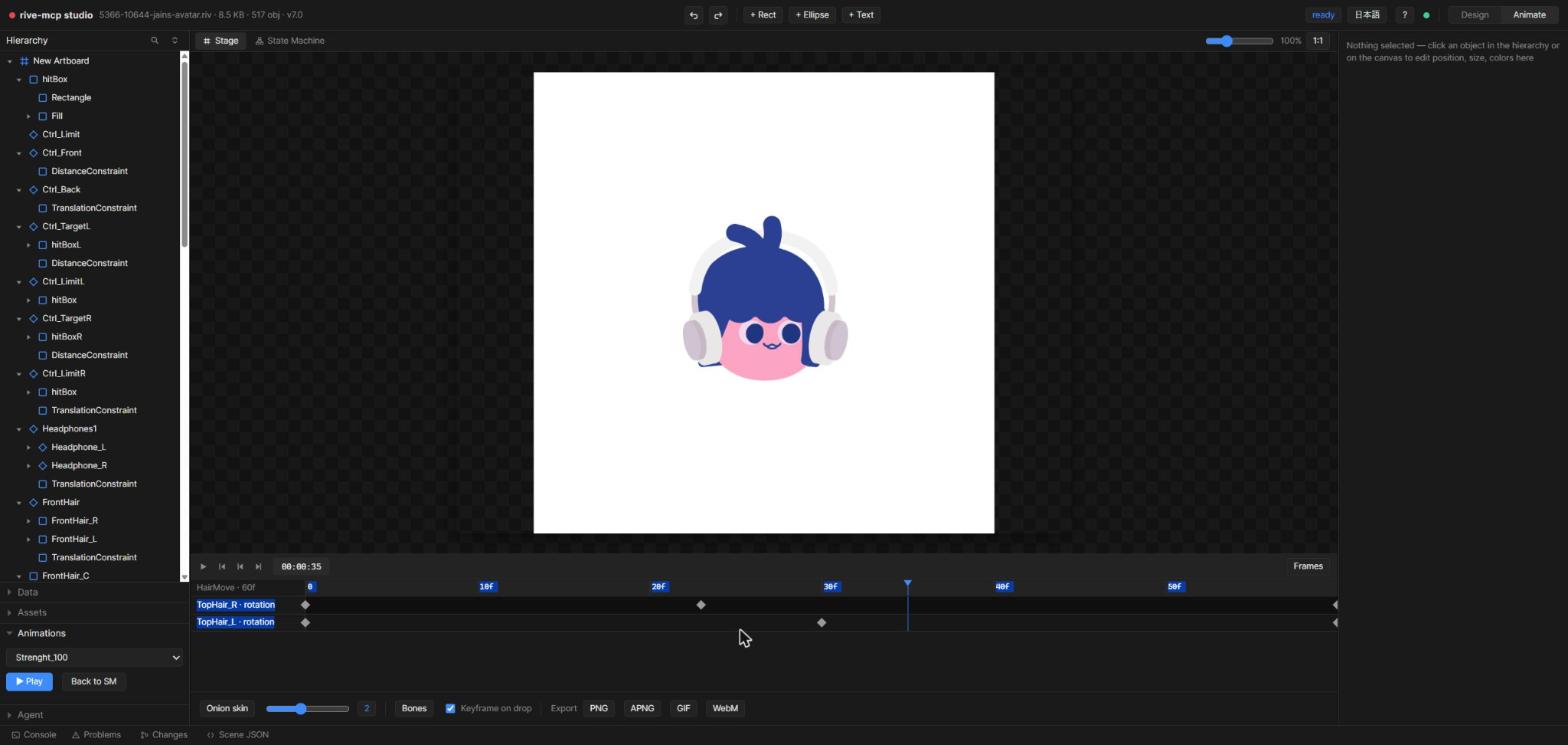
Timeline / dope sheet — per-track keyframes with seek, zoom and playback-speed control. Marquee- or Shift-click to select across tracks, drag a whole selection of keyframes together, and copy/paste with Ctrl+C/V anchored at the playhead (curves carry over).
Bezier curve editor — pick a keyframe span, drag the control points, or apply one of 10 easing presets. Switch any span between hold / linear / cubic.
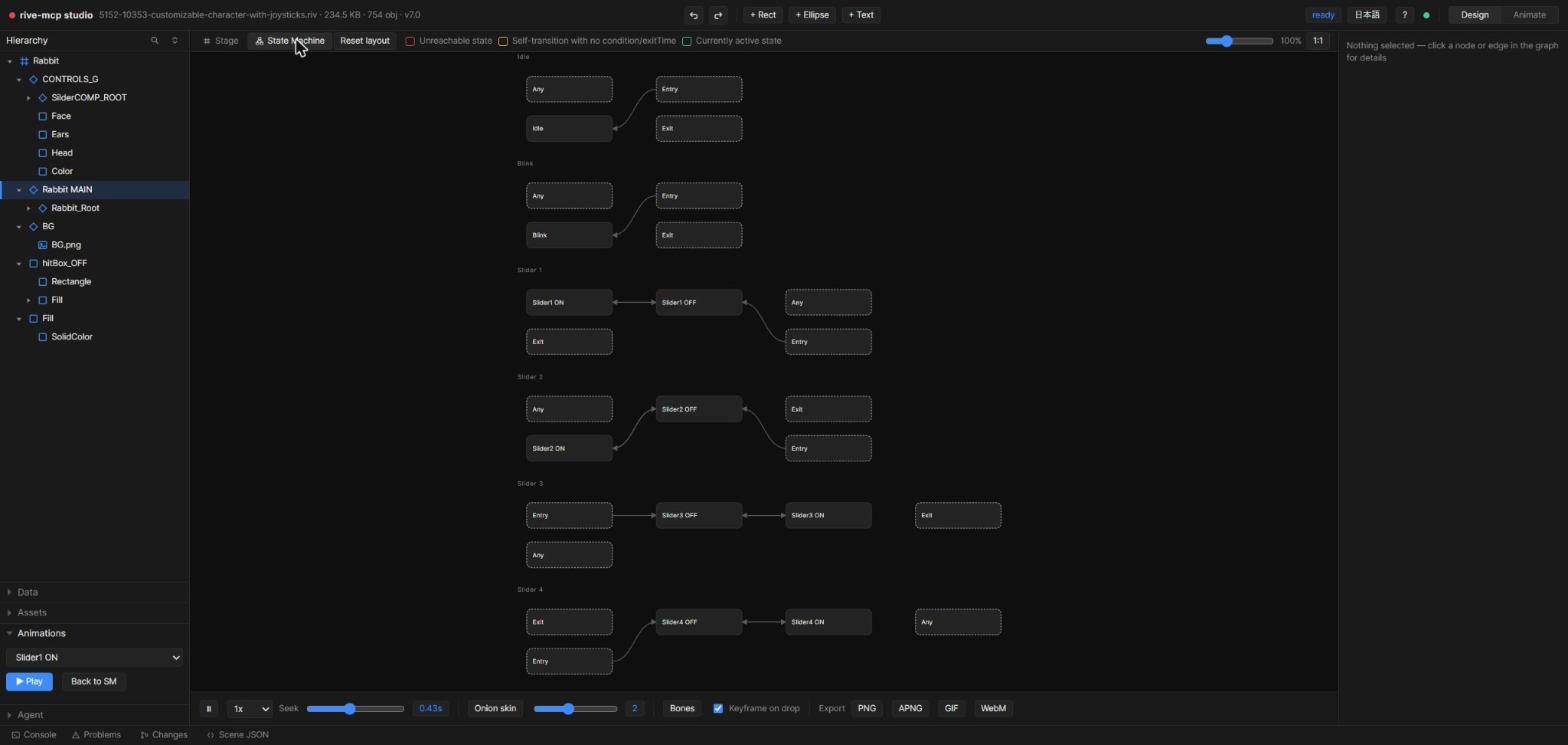
State machine graph view — layers, states and transitions as a node graph; click a transition to see its duration / exitTime / conditions. Lint-integrated: unreachable states are red, unconditional self-transitions yellow, and the active state glows during playback.
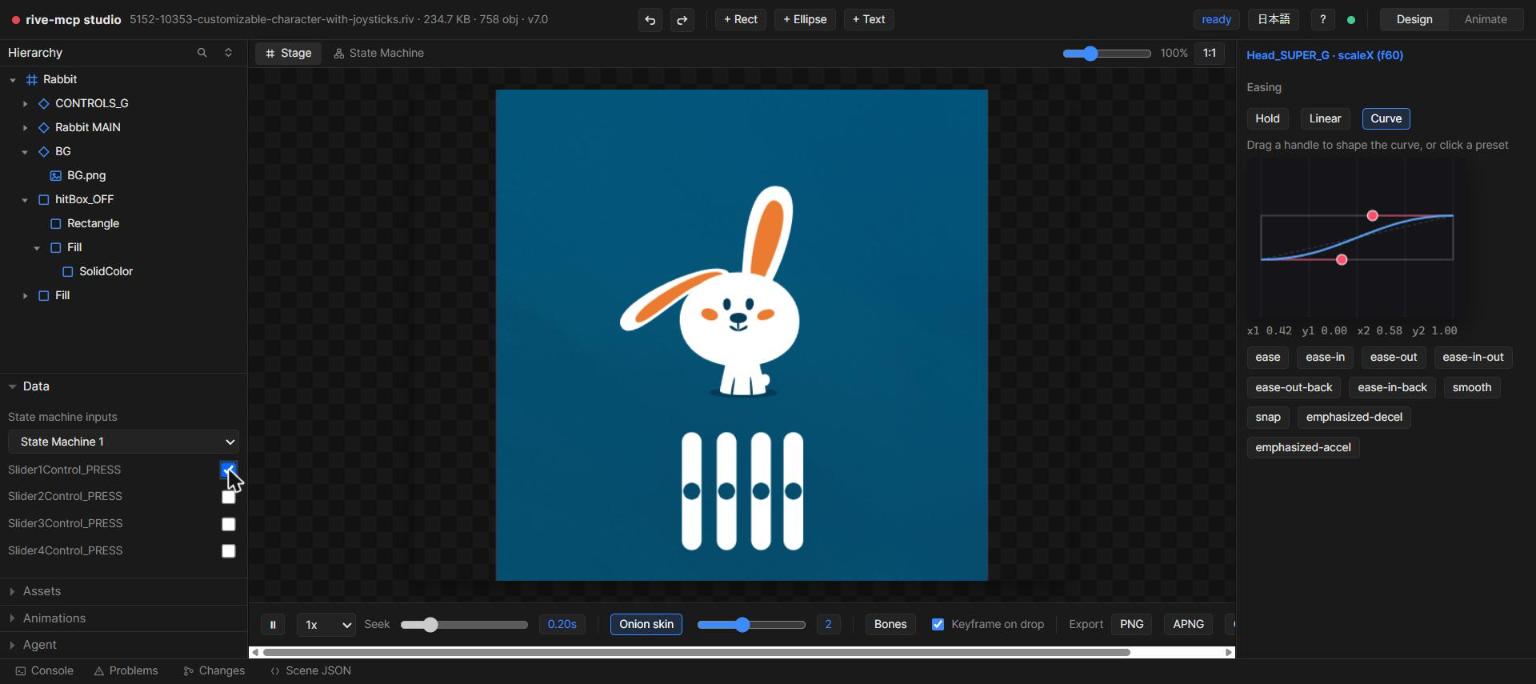
State machine playground — flip bool inputs and fire triggers from the browser to watch transitions happen.
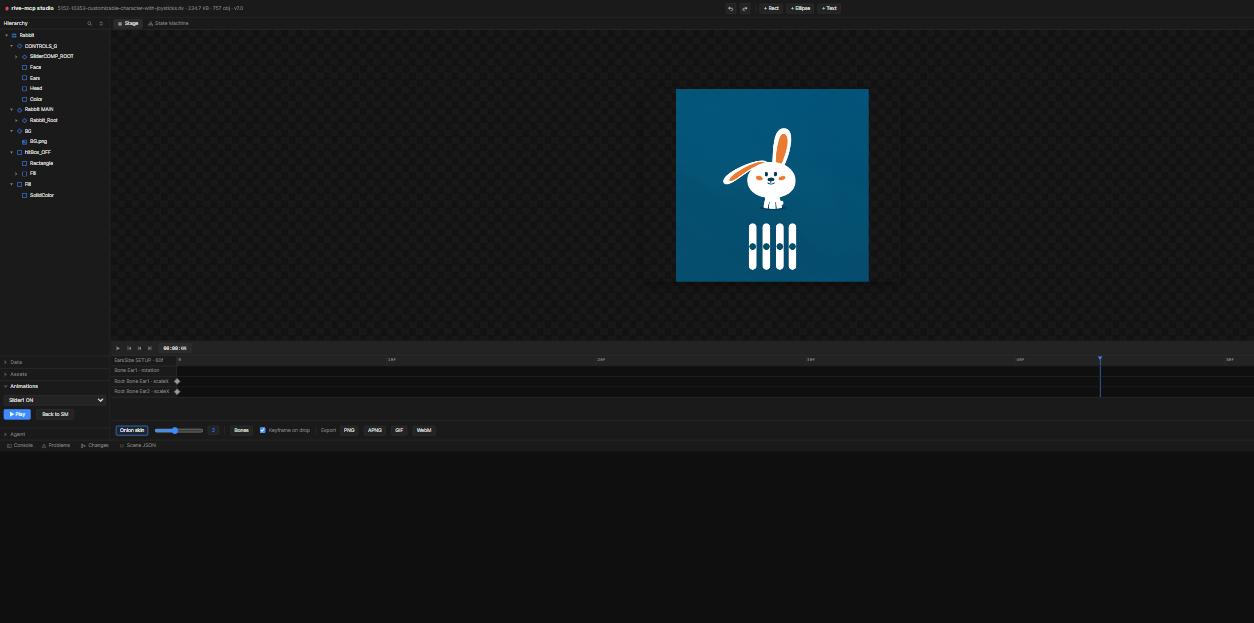
Onion skinning — ghost the surrounding 0–5 frames with distance-based opacity to check motion arcs at a glance.
Direct editing — select in the hierarchy or on the canvas, then edit position / rotation / scale / colors / text in the inspector with undo/redo.
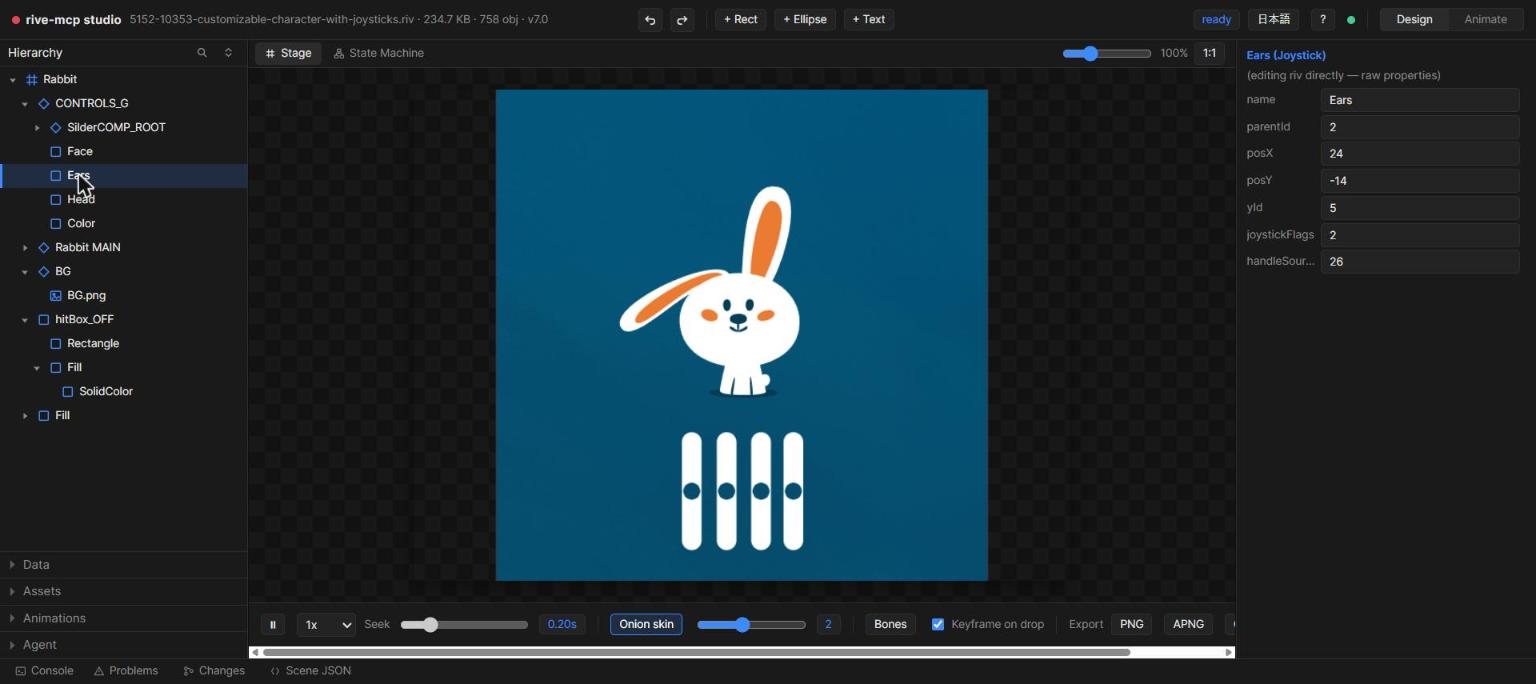
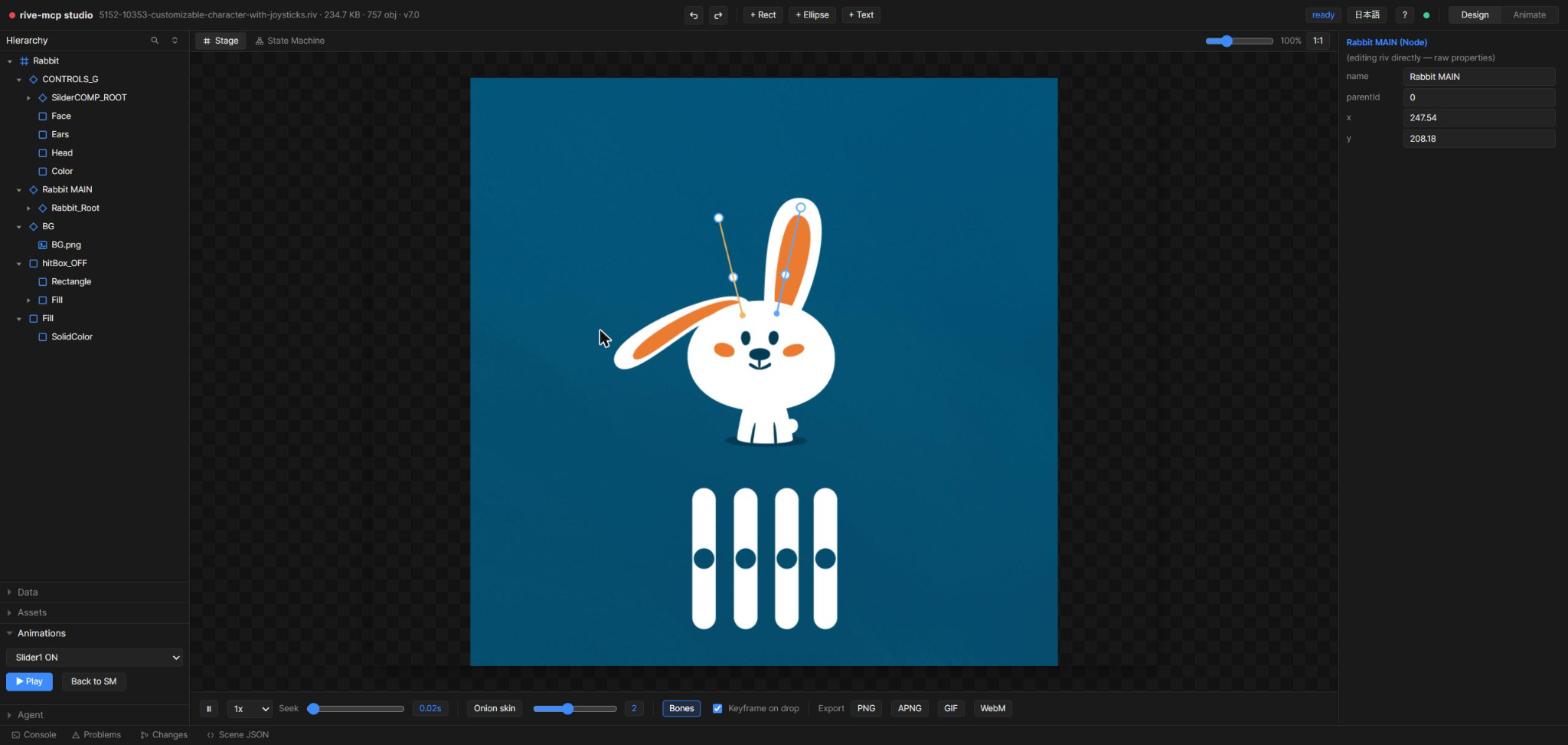
Bone overlay & posing — see the bone skeleton over the canvas, drag to rotate a bone (FK) while paused, and bake the current pose into a keyframe.
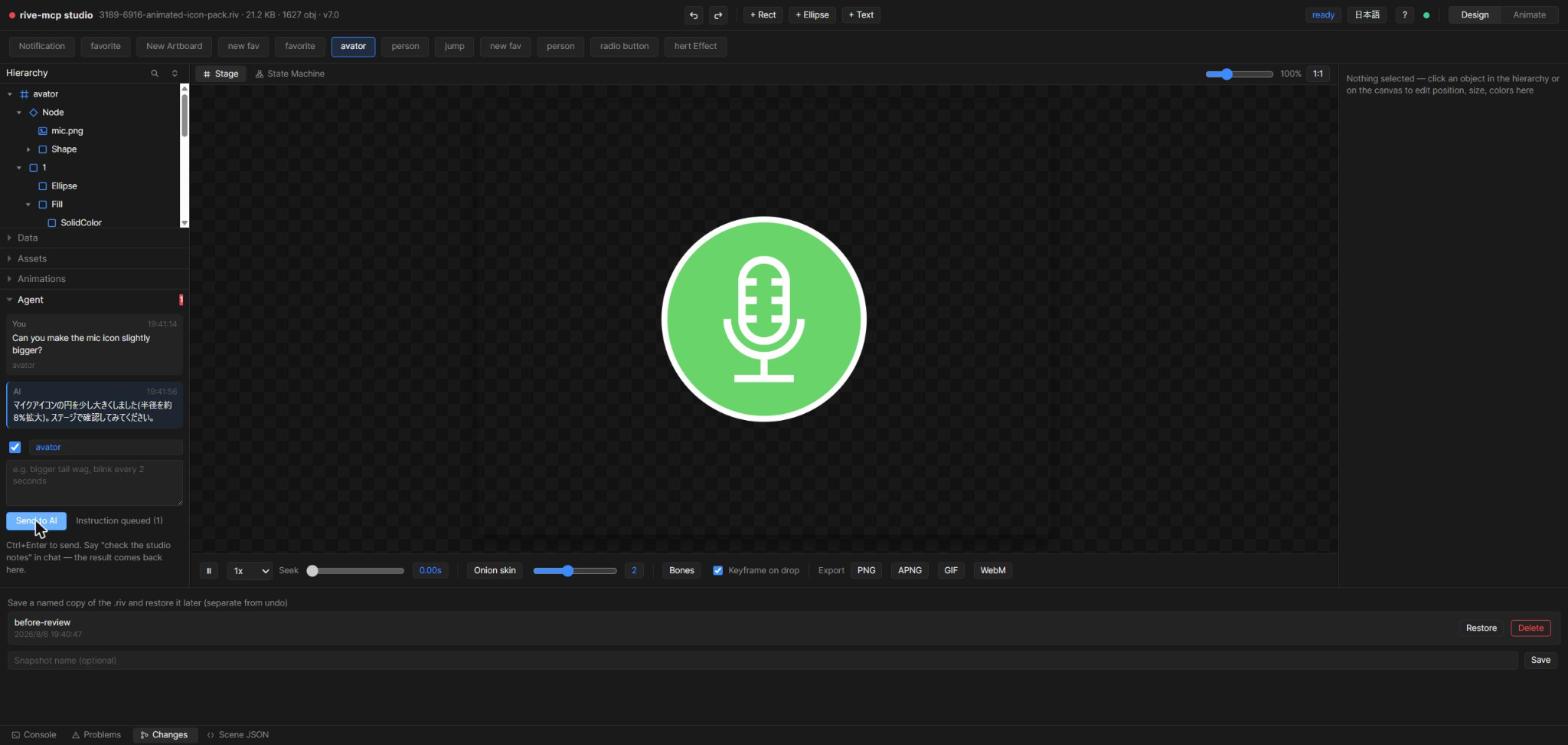
Agent chat — a two-way conversation, not a suggestion box. Your message ships with the current selection, artboard, animation and playhead time attached; the AI picks it up via riv_studio_notes and posts its result back into the same thread, so you can see what it changed without leaving the Studio.
One-click export
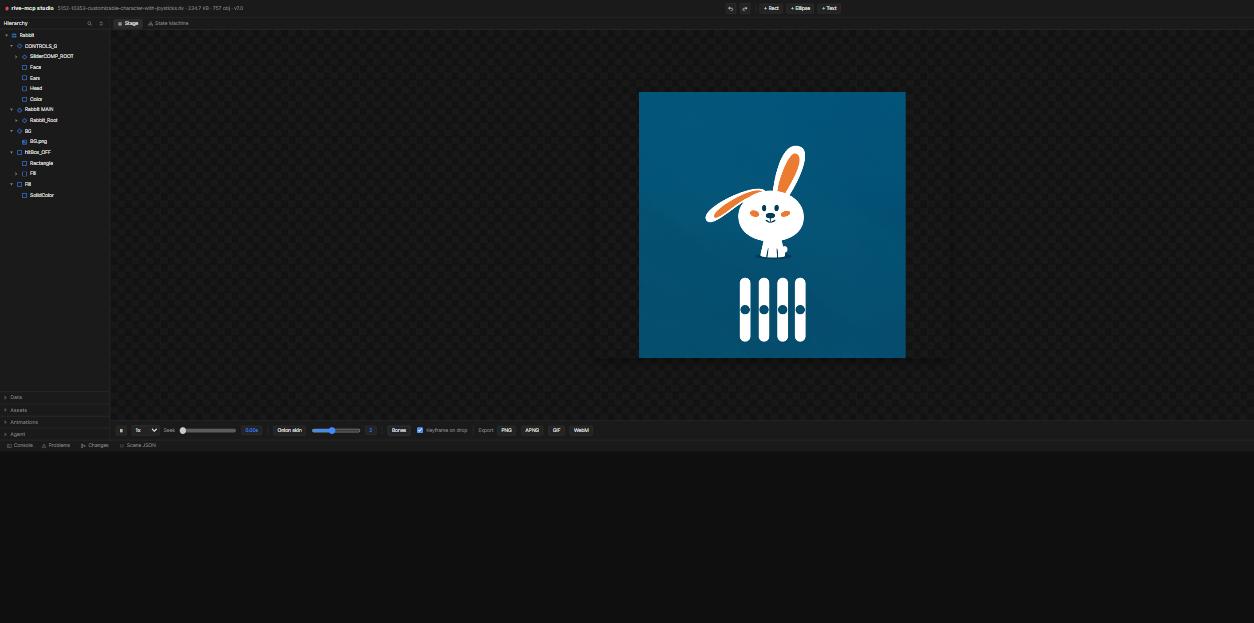
Click PNG / APNG / GIF / WebM in the Studio toolbar to render the current animation on the spot — no MCP round-trip needed for a quick preview export.
Character animation
Turn a single character PNG into a naturally moving .riv:
riv_slice_imagecuts out ears/tail/etc. by polygon,riv_rig_characterassembles the whole rig in one call: pivot groups, a seamless 2-bone head mesh for tilting, vector eyelid blink, idle/happy animations and ahappytrigger- Or compose manually with
riv_create: image embedding, grid meshes with per-vertex keyframes, bone chains with distance-weighted skinning, IK constraints
Example prompts
- "List the riv files in
samples/and inspect vehicles.riv" - "Render the
curvesanimation as a GIF" - "Create a riv of falling snow over a night sky and open it in the studio"
- "Rig
characters/cat.png— ears and tail should move, and it should look happy on click" - "Check the studio notes" (after typing feedback into the Studio UI)
- "Write the React integration code for this file"
Development
npm run build      # vendor runtime assets + tsc
npm run test:e2e   # spawns the real server, exercises all 32 tools over JSON-RPC
docs/riv-format.md documents the reverse-engineered knowledge of the .riv binary format used by the writer (typeKeys/propertyKeys resolved from the official rive-runtime type definitions vendored in vendor/rive-defs/defs.json).
Limitations
- Text-run enumeration is not exposed by the runtime API (access by name works)
- GIF output has no transparency (composited on a background color)
- The Canvas2D preview renderer can show mesh seams that don't exist in the file (WebGL/Skia render clean)
fill.feather/stroke.feather(vector blur) writes correctly to the.rivbut isn't rendered by this server's Canvas2D preview pipeline — only a GPU Rive Renderer supports it- Luau scripting and the Layout engine are not generated (runtime spec still moving)
- Screenshot detection (
riv_ui_detect) is sensitive to small pixel changes: a lossless PNG re-encode is identical, but ±2 RGB noise reclassifies most vector panels and can nearly triple the element count. Every flat fill is test-rendered against the screenshot before it ships, so what survives is measured to match — the cost is that fidelity wins over editability on photo-heavy pages, where most elements come back as slices that only fade. See docs/ui-screenshot-to-prototype.md for the measured numbers and the rest of the limits
License
Free to use (personal & commercial) — but not open source. This is source-available freeware:
- ✅ Use the software freely; the
.rivfiles and code it generates are yours without restriction - ❌ No modification, no redistribution, no derivative works
- ❌ No reverse engineering; no AI-assisted analysis, extraction or reproduction of the code (including use as training data)
See LICENSE for the exact terms. Bundled third-party components: Inter font (OFL 1.1), Rive runtime & type definitions (MIT, © Rive, Inc.).
rive-mcp is an unofficial tool and is not affiliated with or endorsed by Rive, Inc.