
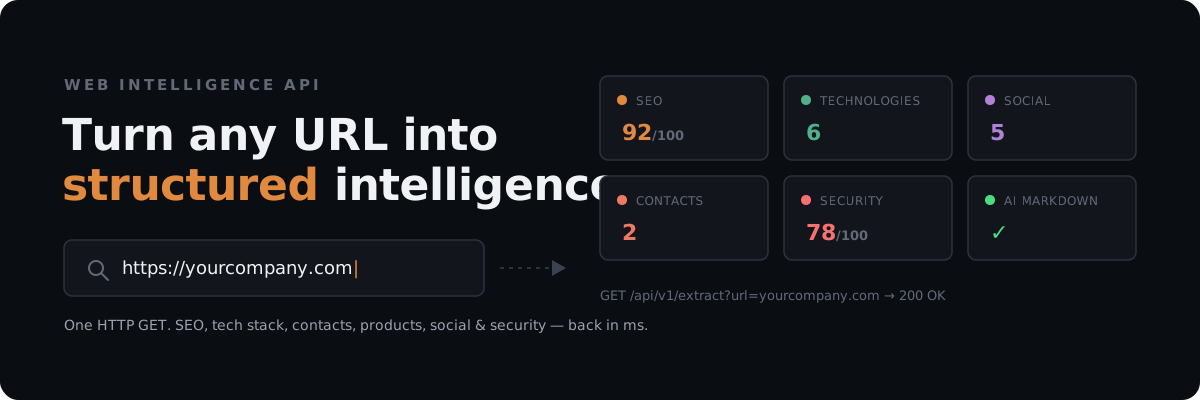
Turn any URL into structured intelligence.
Extract SEO, technologies, contacts, products, social profiles, security signals, and AI-ready content from any public website — with one API call.
Free to try. No signup required for the demo.
🎮 Try the Live Demo • 🔑 Get Free API Key on RapidAPI • 📖 API Documentation • ⚡ Code Examples
Paste a URL, get real results in seconds — webmetadataextractor.com runs the actual pipeline live, no API key needed. Try your own site, or one of these:
/demo/extractis the same no-key route the live demo page above uses (see "Honest Limitations" — it's rate-limited per IP, not a documented/stable API endpoint). For integrating in code, use/api/v1/extractwith a RapidAPI key as shown below.
Or call it directly (swap in your key from RapidAPI for production use):
curl "https://web-metadata-and-contact-extractor.p.rapidapi.com/api/v1/extract?url=github.com" \
  -H "X-RapidAPI-Key: YOUR_KEY" -H "X-RapidAPI-Host: web-metadata-and-contact-extractor.p.rapidapi.com"
🎯 Use Cases
import requests

RAPIDAPI_KEY = "YOUR_RAPIDAPI_KEY"
HEADERS = {
    "X-RapidAPI-Key": RAPIDAPI_KEY,
    "X-RapidAPI-Host": "web-metadata-and-contact-extractor.p.rapidapi.com",
}
BASE = "https://web-metadata-and-contact-extractor.p.rapidapi.com/api/v1/extract"

for url in ["shop-a.com", "shop-b.com", "shop-c.com"]:
    data = requests.get(BASE, headers=HEADERS, params={"url": url}).json()
    if "Shopify" in data["detected_technologies"] and data["seo_score_percentage"] < 60:
        print(f"{url}: Shopify + {data['seo_score_percentage']}% SEO -> outreach candidate")
import requests

def read_url_as_markdown(url: str) -> str:
    """Tool function an LLM agent can call to read any public webpage."""
    resp = requests.get(
        "https://web-metadata-and-contact-extractor.p.rapidapi.com/api/v1/markdown",
        headers={"X-RapidAPI-Key": "YOUR_KEY", "X-RapidAPI-Host": "web-metadata-and-contact-extractor.p.rapidapi.com"},
        params={"url": url},
    ).json()
    return resp["markdown_content"]
🌟 Key Features
🎯 Performance SLA & Technical Architecture Notes
[!NOTE]
- Latency & Performance SLA: Server-side processing overhead (DOM cleaning, C-Lexbor parsing, Rust serialization) averages < 5ms. Live execution times depend on the target website's network latency and origin server response time. Repeating requests for the same URL hit the in-memory cache and return in < 0.01ms.
- IPv6 & IPv4-Mapped SSRF Shield: The Anti-SSRF validation engine enforces strict resolution checks across both IPv4 and IPv6, blocking loopback (
127.0.0.1,::1), link-local (169.254.169.254,fe80::/10), and IPv4-mapped IPv6 (::ffff:127.0.0.1) addresses.- Redis Rate Limiter (Fixed-Window, Auto-Reconnect): When
REDIS_URLis configured, rate limiting is distributed across all workers via a single atomic Redis Lua script (INCR+ first-hitEXPIREin one round-trip — no window where a dropped connection could leave a counter with no TTL). Redis is pinged at startup and re-validated every 30 seconds. On failure, the service falls back to per-process TTLCache immediately and marksredis_status: degraded_fallbackin/health/details.- Split Health Endpoints:
/healthreturns a minimal public liveness payload./health/detailsreturns full operational status (Redis mode, trust_proxy, engine) and requires theX-Health-Secretheader whenHEALTH_DETAILS_SECRETenv var is set.- Horizontal Scaling: Single-instance → in-memory TTLCache (60 req/min/IP). Multi-worker → distributed Redis. Enterprise scale → RapidAPI Gateway or Nginx.
- Zero-Trust Self-Hosting: Full Dockerfile (uvicorn multi-worker) and test suite included for self-hosted production deployments.
- Modular Codebase: The service is organized as an
app/package (security/,fetcher/,cache/,ratelimit/,extraction/,observability/,api/) rather than a single file —main.pyis a thin backward-compatibility shim souvicorn main:app/gunicorn main:appkeep working unchanged.- Validated Configuration:
app/config.pyis backed bypydantic-settings— every tunable (rate limits, cache sizes/TTLs, byte-fetch limits, header limits, ...) is validated at startup with the exact same defaults as before, and now opportunistically overridable via env vars. An invalid value (negative sizes, above , ...) fails immediately with a clear error instead of surfacing as a runtime bug later.
🎯 What This API Is — And Isn't — For
This API turns a URL into structured knowledge about that page: SEO/OpenGraph metadata, public contact signals, social profiles, tech stack, Schema.org/product data, graded security headers, link classification, and clean Markdown — consolidated into one fast HTTP request. It's a metadata/intelligence layer over ordinary server-rendered HTML, not a general-purpose scraping tool or a browser-automation replacement. Keep that framing in mind when deciding whether it fits your use case.
✅ Good fit:
- Company/website analysis — pull tech stack, CMS, socials, contact signals, and SEO health for a given site in one call.
- Input for a sales/outreach workflow —
/api/v1/contactsfinds public emails/phones/social links present on a page; it's a raw signal you feed into a lead-gen process you build (company identification, role verification, CRM enrichment), not a lead-enrichment product by itself — see "Honest Limitations" below. - Automated SEO audits — the 14-point on-page score, structured
seo_checksbreakdown, and graded security-header audit are built for exactly this. - Competitive/tech-stack monitoring — compare tech stack, metadata, or product data across a known set of URLs over time. You supply and re-check the URL list; there's no built-in crawler (see below).
- AI agents / RAG pipelines —
markdown_contentand the structured JSON fields are designed as clean LLM input, not raw HTML soup. - E-commerce data extraction — product name/price/currency/availability/brand/SKU/reviews where a site exposes Schema.org JSON-LD, OpenGraph product tags, or Microdata, cross-checked with a per-field confidence score. Product responses use a short 3-minute cache specifically because price data goes stale faster than everything else.
- Link previews — title, description, image, favicon for chat apps, social cards, and bookmarking tools.
❌ Not a good fit:
- Complex/interactive scraping — logins, multi-step forms, button clicks, infinite scroll, CAPTCHA-gated content. This API issues one HTTP GET and parses the HTML it gets back; it does not drive a browser or simulate user interaction.
- Heavily JS-rendered sites — if the meaningful content only exists after client-side hydration, this API sees close to the same empty shell a plain HTTP client would. The adaptive byte limit improves coverage of what the server already sent; it doesn't execute JavaScript.
- Mass or distributed crawling — there's no queue, frontier, or "give me a domain and I'll find its pages" mode. It's one URL in, one page's data out, by design — kept stateless and fast rather than growing into a crawler.
- Penetration testing or vulnerability scanning — the security-header audit grades the presence and quality of headers like HSTS, CSP, and X-Frame-Options. It does not probe for vulnerabilities, scan for misconfigurations beyond those headers, or constitute a security assessment. A high
security_scoremeans "this page sends good security headers," not "this site is secure." - "Extract anything from any site" scraping — this is a fixed set of well-defined extractors (SEO, contacts, socials, tech, product, links, Markdown), not a programmable scraper for arbitrary custom fields or page structures.
For the technical reasoning behind these boundaries — why JS execution, crawling, and bot-protection bypass are out of scope, and what the confidence/quality scores do and don't mean — see "Honest Limitations" below.
Wondering how this compares to ScrapingBee, Firecrawl, or BuiltWith? See COMPETITOR_COMPARISON.md for an honest, pricing-verified breakdown of when each one actually wins.
⚠️ Honest Limitations
This API fetches raw HTTP responses and parses HTML — it is not a browser. That's a deliberate trade-off for speed (no browser startup, no JS execution wait, minimal memory per request), and it comes with real ceilings that no amount of additional regex or extractors can fully remove:
- No JavaScript execution. Content that only exists after client-side rendering (many SPAs, some login-gated pages, content behind "load more" interactions) will be missing or incomplete. A static/SSR page (most blogs, e-commerce product pages, marketing sites, GitHub, Wikipedia) works great; a client-rendered single-page app whose initial HTML is just
<div id="root"></div>will return mostly empty results — the API cannot execute the JS that would fill it in. - Detecting a JS framework doesn't mean the JS problem is solved. The adaptive byte limit (see below) expanding to 256 KB when React/Next.js/Vue/etc. signatures are spotted improves coverage of the initial HTML — it does not run a browser, execute hydration, or wait for client-side API calls.
Next.js -> more bytes -> a bigger parseis notNext.js -> Chromium -> JS execution -> hydration -> final DOM. Treat it as "we tried harder to read what the server already sent," not "we solved SPAs." - Bot-protection / CAPTCHAs are detected, not bypassed.
bot_protection_detected(see above) tells you that Cloudflare/Akamai/PerimeterX/a CAPTCHA blocked the request — it does not solve the challenge. There is no workaround for this short of running a real browser. - Extraction is heuristic evidence, not ground truth — including when it looks confident. Technology detection, contact info, social links, and product data are pattern/signature-based. A tech signature match (e.g. one CDN hostname in an image URL) proves the string was present somewhere the fetcher looked, not that the technology is meaningfully in use — it could be dead code, a shared/third-party asset, a transitive dependency, or an accidental substring.
technology_details.confidencereflects how many independent signals agreed, not a probability that the detection is correct. See the live GitHub example above, where"Contentful"is detected at0.75confidence from a single CDN hostname in anog:imageURL — plausible evidence, not proof GitHub runs on Contentful. - A
quality.scorenear 1.0 means the evidence available to this API was internally consistent — not that the data is verified accurate. When JSON-LD, OpenGraph, and Microdata all report the same price, that's three encodings, not necessarily three independent sources — a site frequently generates all three from the same underlying product record, so agreement can mean "one data source, expressed three ways" rather than three independently-verified facts. Readconfidence: 0.98as "nothing on the page contradicts this," not "there's a 98% chance this is correct." - It's what keeps typical requests fast, but it means content positioned late in a large page — JSON-LD placed near the closing , a product block far down a long CMS-generated page — can be missed purely because of it sits in the HTML, independent of how "complex" the page seems. Larger/more script-heavy pages are paradoxically more likely to have relevant data pushed past the cutoff. Always check for a entry before treating a missing field as "this page doesn't have it" rather than "this API didn't read that far" — there's no separate top-level boolean, that signal lives inside .
None of this means the underlying approach is flawed for its intended job (fast metadata/SEO/contact/tech extraction from ordinary web pages) — it means "extract everything from any URL via one HTTP request" has a ceiling that only browser automation (Playwright/Puppeteer) can raise, at the cost of the speed and low resource footprint that make this API fast in the first place.
⚡ Quick Start
Python
import requests

url = "https://web-metadata-and-contact-extractor.p.rapidapi.com/api/v1/extract"
headers = {
    "X-RapidAPI-Key": "YOUR_RAPIDAPI_KEY_HERE",
    "X-RapidAPI-Host": "web-metadata-and-contact-extractor.p.rapidapi.com"
}
params = {"url": "https://github.com"}

data = requests.get(url, headers=headers, params=params).json()

print(f"Title:        {data['metadata']['title']}")
print(f"OG Type:      {data['metadata']['og_type']}")
print(f"Robots:       {data['metadata']['robots']}")
print(f"hreflang:     {data['metadata']['hreflang_tags']}")
print(f"Product:      {data['product_data']}")
print(f"Emails:       {data['contacts']['emails']}")
print(f"Tech Stack:   {data['detected_technologies']}")
print(f"Time:         {data['execution_time_ms']} ms")
JavaScript / Node.js
const url = 'https://web-metadata-and-contact-extractor.p.rapidapi.com/api/v1/extract?url=https%3A%2F%2Fgithub.com';
const response = await fetch(url, {
  headers: {
    'X-RapidAPI-Key': 'YOUR_RAPIDAPI_KEY_HERE',
    'X-RapidAPI-Host': 'web-metadata-and-contact-extractor.p.rapidapi.com'
  }
});
const data = await response.json();
console.log('Title:', data.metadata.title);
console.log('OG Type:', data.metadata.og_type);
console.log('Product:', data.product_data);
console.log('Time:', data.execution_time_ms, 'ms');
cURL
curl --request GET \
  --url 'https://web-metadata-and-contact-extractor.p.rapidapi.com/api/v1/extract?url=https%3A%2F%2Fgithub.com' \
  --header 'X-RapidAPI-Host: web-metadata-and-contact-extractor.p.rapidapi.com' \
  --header 'X-RapidAPI-Key: YOUR_RAPIDAPI_KEY_HERE'
📦 Client Libraries
For Python, prefer the official client over raw requests calls — same 11 endpoints, typed exceptions, and both sync and async clients:
pip install webmetadata-extractor
from webmetadata_extractor import WebMetadataClient

client = WebMetadataClient(api_key="YOUR_RAPIDAPI_KEY_HERE")
data = client.extract("https://github.com")
Prefer the terminal? The same package installs a web-inspect CLI (or grab it standalone via Homebrew, no Python required):
brew tap josejux/webmetadata && brew install web-inspect   # or: pip install webmetadata-extractor

web-inspect example.com --security
web-inspect example.com --markdown > article.md
Building an agent? There are tool packages for the three most common frameworks — each ships tools (extract, markdown/reader, contacts, seo_audit) ready to hand to an agent:
pip install langchain-webmetadata-extractor    # LangChain / LangGraph
pip install crewai-webmetadata-extractor       # CrewAI
pip install llamaindex-webmetadata-extractor   # LlamaIndex (reader + tools)
from langchain_webmetadata_extractor import get_tools

tools = get_tools(api_key="YOUR_RAPIDAPI_KEY_HERE")
LlamaIndex also gets a dedicated WebMarkdownReader for RAG ingestion (loads a URL straight into a Document, not just an agent tool call):
from llamaindex_webmetadata_extractor import WebMarkdownReader

documents = WebMarkdownReader(api_key="YOUR_RAPIDAPI_KEY_HERE").load_data(["https://example.com"])
All four packages are MIT-licensed and open source: webmetadata-extractor, langchain-webmetadata-extractor, crewai-webmetadata-extractor, llamaindex-webmetadata-extractor.
Want a full working example instead of a snippet? See agent-cookbooks/ for three real workflows built on these packages: a CrewAI competitor analyzer, a LlamaIndex RAG pipeline fed with clean Markdown, and a LangGraph price/stock monitor that alerts only on real changes.
Want to try it without installing anything? Live demo on Hugging Face Spaces — paste a URL, see the full response in your browser.
🤖 MCP / AI Agent Support
This API is available as an MCP server out of the box, via RapidAPI's hosted gateway — no extra setup or self-hosting needed. Add it to Claude Desktop, Claude Code, Cursor, or any MCP-compatible client:
{
  "mcpServers": {
    "RapidAPI Hub - Web Metadata and Contact Extractor": {
      "command": "npx",
      "args": [
        "mcp-remote",
        "https://mcp.rapidapi.com",
        "--header",
        "x-api-host: web-metadata-and-contact-extractor.p.rapidapi.com",
        "--header",
        "x-api-key: YOUR_RAPIDAPI_KEY_HERE"
      ]
    }
  }
}
Once connected, an agent can call the extractor directly as a tool — e.g. pulling markdown_content into a RAG pipeline, or checking detected_technologies and seo_score_percentage as part of an autonomous research/outreach workflow. Get a free key from the RapidAPI listing first.
🧩 Use in Dify, Flowise, or Langflow
No plugin install needed for any of these — visual agent builders can call this API directly.
Dify or Flowise, in about 60 seconds: both support importing a custom tool straight from an OpenAPI schema. Get a free key from the RapidAPI listing, then:
- Dify: Tools → Custom Tool → Create from OpenAPI. Flowise: add an "OpenAPI Toolkit" node and point it at the schema.
- Paste in
dify-flowise-openapi.json— a curated 3-endpoint slice of the full API (extract,markdown,schema) pre-configured to call through the RapidAPI gateway. - In the tool's auth settings, set header
X-RapidAPI-Keyto your key.X-RapidAPI-Hostis already fixed to the right value in the spec — nothing else to configure.
Need a different endpoint than those 3? The full OpenAPI spec has all 11 — same import flow, just point at that URL instead and add the same two headers.
Langflow: zero setup beyond what's already above — Langflow speaks MCP natively (both as client and server as of v1.8.4). Add an MCP Tools component, connect it to https://mcp.rapidapi.com with the same x-api-host / x-api-key headers shown in the "MCP / AI Agent Support" section above, and every endpoint shows up as a tool.
📊 Sample API Response (JSON)
[!NOTE] This is real, live output from
GET /api/v1/extract?url=https://github.com, captured 2026-08-11 — not a hand-edited illustration. It's deliberately left un-prettified, including the parts that aren't flattering:detected_technologiesincludes"Contentful"on a page that almost certainly isn't Contentful-powered (seetechnology_detailsbelow — the evidence is one CDN hostname in anog:imageURL, hence only0.75confidence, not0.98), andmarkdown_content/word_countcome back empty because GitHub's homepage is a JS-heavy shell whose initial HTML has no<article>-like content for this API to find. Both are the "Honest Limitations" section below in action, not this example glossing over them.social_linkshas 20 keys total (see the Key Features table above); only non-null ones are worth reading, so it's trimmed here for length — the real response includes all 20.
{
  "url": "https://github.com",
  "final_url": "https://github.com",
  "status_code": 200,
  "execution_time_ms": 130.43,
  "bot_protection_detected": false,
  "metadata": {
    "title": "GitHub · Change is constant. GitHub keeps you ahead. · GitHub",
    "description": "Join the world's most widely adopted, AI-powered developer platform where millions of developers, businesses, and the largest open source community build software that advances humanity.",
    "og_image": "https://images.ctfassets.net/8aevphvgewt8/4pe4eOtUJ0ARpZRE4fNekf/f52b1f9c52f059a33170229883731ed0/GH-Homepage-Universe-img.png",
    "og_type": "object",
    "canonical_url": "https://github.com",
    "language": "en",
    "favicon": "https://github.githubassets.com/favicons/favicon.svg",
    "theme_color": "#1e2327",
    "hreflang_tags": [
      {"lang": "en-us", "url": "https://github.com"},
      {"lang": "pt-br", "url": "https://github.com?locale=pt-br"}
    ],
    "h1_tags": [],
    "links_count": 51,
    "content_length_bytes": 109075
  },
  "social_links": { "github": "https://github.com/features/copilot", "twitter": null, "linkedin": null, "...": "17 more platforms, all null here" },
  "contacts": { "emails": [], "phones": [] },
  "detected_technologies": ["Contentful"],
  "technology_details": [
    { "name": "Contentful", "confidence": 0.75, "evidence": ["ctfassets.net"], "category": "cms" }
  ],
  "product_data": null,
  "quality": {
    "score": 0.85,
    "rendered": false,
    "sources_used": ["meta"],
    "warnings": [{ "field": null, "type": "CONTENT_TRUNCATED" }]
  },
  "rss_feeds": ["https://github.com/opensearch.xml", "https://github.githubassets.com/favicons/favicon.svg"],
  "json_ld_schemas": [],
  "security_score_percentage": 64.2,
  "seo_score_percentage": 75.0,
  "seo_passed_checks": ["Title tag present with optimal length (10-70 chars)", "Canonical link tag present", "OpenGraph image present for social sharing", "Favicon icon present"],
  "seo_warnings": ["Meta description present but sub-optimal length (186 chars)", "Missing <h1> primary heading", "No structured data (JSON-LD) found"],
  "internal_links": ["https://github.com/", "https://github.com/login", "https://github.com/features/copilot"],
  "total_internal_count": 44,
  "total_external_count": 5,
  "word_count": 0,
  "reading_time_minutes": 0.0,
  "markdown_content": ""
}
This response is exactly
MetadataResponse(app/models/responses.py) serialized, trimmed for length — every field shown above is real. Four model fields aren't shown:phone_detailsandproduct_field_confidence(both empty here — no phone numbers orproduct_dataon this page),seo_checks(the structured, per-check version of theseo_passed_checks/seo_warningsalready shown above), andexternal_links(5 URLs, pertotal_external_count, omitted the same wayinternal_linksis truncated). There's no separatecontent_truncated/bytes_downloadedat the top level; that signal lives insidequality.warnings.
Since v4.0.0,
metadataalso includesviewport,twitter_card, andh1_count;/api/v1/tech-stackadditionally returnstechnology_details(confidence score, matched evidence, category per technology); andproduct_data(when present) includessku,mpn,gtin/isbn,seller,condition, and price-range fields. All additions are purely additive — no existing field was removed or changed type. Fields that were previously untypedDict/List[Dict]blobs (metadata,technology_details,seo_checks,phone_details) now have documented Pydantic models in the OpenAPI schema — withproduct_data, previously missing from/api/v1/extractdespite being shown here, now actually returned. Also new:product_field_confidenceand a top-levelqualityobject — e.g. for a page where JSON-LD says €39.99 and OpenGraph says €29.99:"product_field_confidence": {"price": {"value": "39.99", "confidence": 0.5, "source": "json_ld", "agreement": ["json_ld", "microdata", "opengraph"]}}and"quality": {"score": 0.9, "rendered": false, "sources_used": ["json_ld", "microdata", "opengraph", "meta"], "warnings": [{"field": "product.price", "type": "SOURCE_CONFLICT", "values": {"json_ld": "39.99", "microdata": "39.99", "opengraph": "29.99"}, "chosen_source": "json_ld", "chosen_value": "39.99"}]}.Newest additions: every endpoint's response now also includes
redirect_count(HTTP redirect hops followed to reachfinal_url) andis_shortened_url(trueif the URL you passed in — notfinal_url— is on a known shortener domain likebit.ly)./api/v1/seo-auditand/api/v1/extractadd areadabilityobject (sentence_count,paragraph_count,avg_words_per_sentence,heading_structure). Three brand-new endpoints:POST /api/v1/batch(up to 10 URLs, lightweight link-preview extraction per URL),GET /api/v1/domain(DNS/WHOIS lookups, no page fetch), and/api/v1/security?include_tls_details=true(opt-in live TLS certificate inspection, off by default). All additive — no existing field changed shape or type.Also new:
/api/v1/security(andsecurity_headerson ) now detects as its own grade instead of treating it as missing, and every graded header ships a entry explaining why it matters.
📖 API Endpoint Documentation
Query Parameters
🔧 Self-Hosting & Local Development
# 1. Clone
git clone https://github.com/JosejuX/rapidapi-metadata-extractor.git
cd rapidapi-metadata-extractor/rapidapi_service

# 2. Install
pip install -r requirements.txt

# 3. Fixture-based test suite (SSRF matrix, circuit breaker, single-flight, rate-limit atomicity, ...)
pip install pytest
pytest tests/ -q

# 3b. Live-network smoke suite (14 SSRF vectors + 12 global domains)
python test_api.py

# 4. Load test (concurrent requests benchmark)
python load_test.py

# 5. Dev server
uvicorn main:app --reload --port 8000
Open http://localhost:8000/docs for the interactive Swagger UI.
Docker
# Pull the published image (built + pushed by .github/workflows/docker-publish.yml on every version tag)
docker pull ghcr.io/josejux/rapidapi-metadata-extractor:latest
docker run -p 8000:8000 ghcr.io/josejux/rapidapi-metadata-extractor:latest

# Or build it yourself
cd rapidapi_service
docker build -t rapidapi-metadata-extractor .
docker run -p 8000:8000 rapidapi-metadata-extractor
🏷️ Keywords
metadata-extractor • opengraph-parser • email-scraper • contact-extractor • social-links-finder • tech-stack-detector • seo-parser • fastapi • rapidapi • python-web-scraper • link-preview-generator • lead-generation-api • hreflang • schema-org • product-data-extractor • ssrf-protection
🤝 Built With
This API was built and iterated on in collaboration with AI coding assistants — Google's Gemini 3.6 Flash and Anthropic's Claude Sonnet 5 — alongside human design, review, and testing decisions throughout.
📄 License
Distributed under the MIT License. See LICENSE for more information.