
AI Applyd MCP Server
Version 1.9.1 includes fourteen portable job-search skills. See the changelog.
Auto-Apply That Ends on an Interview
Stop applying. Start interviewing.
Score your resume the way the screening software scores it, rewrite it for the exact role, write the cover letter, prepare for the interview, and send the application in on the employer's own hiring system. All from inside the assistant you already work in.
And it keeps the employer's own confirmation. Most tools count applications sent, which is a number the tool awards itself off its own button click. This one reports what the employer's system actually returned, so a real rejection is distinguishable from a form that quietly dropped your application.
Listing page · Website · Privacy · Terms
Most applicants are screened out by software before a person reads a word, and a good number are never screened at all, because the form silently dropped a required field or the upload never attached. From the candidate's side those look identical to rejection, which is why so many people rewrite a CV nobody ever read.
This server puts both halves of that process in your hands: the screening, and the proof that the application arrived.
From the first match to the interview invite. Every application carries the employer's own confirmation.
Every application goes in on the company's real careers page, under your name, with your own materials. It lands on 30+ hiring systems, including Greenhouse, Lever, Ashby, Workday, Personio, Teamtailor, SmartRecruiters, Recruitee, Breezy, Workable, Rippling, BambooHR, JazzHR, softgarden, Jobvite, Gem, Zoho Recruit, Dayforce, Hireology, Dover, Oracle Recruiting Cloud, Paylocity, Oracle Taleo, UKG Pro Recruiting, ADP, Avature, CareerPlug, Pinpoint, Manatal, and Eightfold.
Nothing to install. Connect once and run it from Claude, ChatGPT, Codex, Cursor, Gemini CLI, VS Code or any MCP client, and from your phone over iMessage through Poke.
The whole job search in five calls: see your matches (aiapplyd_get_matches), apply to one
(aiapplyd_apply, sent automatically or held for your yes), approve or reject what is waiting
(aiapplyd_review_application), track every application to the employer's own receipt
(aiapplyd_get_applications), and check your plan and what is left (aiapplyd_get_account).
The full list is under Tools.
Watch the demo
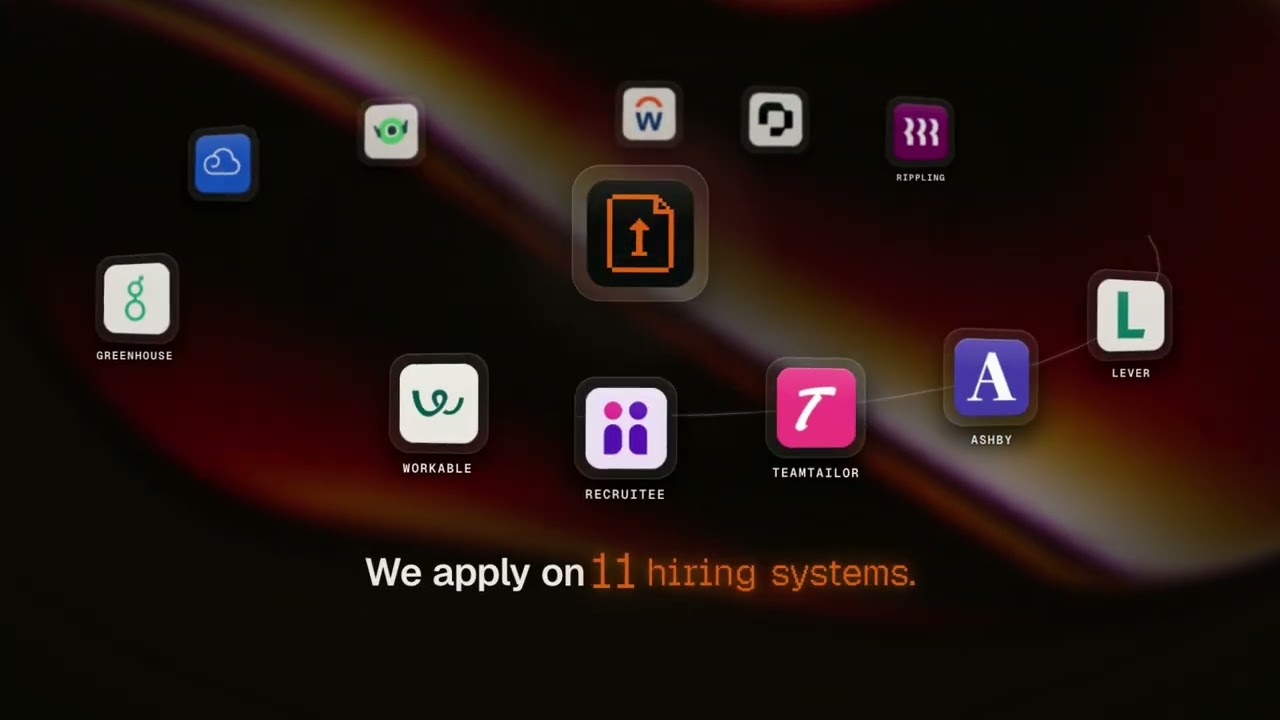
90 seconds: resume upload, job matching, a real application sent on the employer's own form, the employer's confirmation email, interview prep, and applying from ChatGPT, Claude and Cursor.
Quick start
One click, if your app supports it:

AI Applyd is a hosted remote MCP server. Point your client at one URL:
https://mcp.aiapplyd.com/mcp
The first tool call opens an OAuth sign-in. Sign in with Google, and you are connected. A free account needs no card and arrives with a one-time 10,000-token starter grant.
Claude (web, Desktop, Code)
Settings → Connectors → Add custom connector
In Claude Code, one line does it:
claude mcp add --transport http aiapplyd https://mcp.aiapplyd.com/mcp
Cursor
~/.cursor/mcp.json:
{
  "mcpServers": {
    "aiapplyd": {
      "url": "https://mcp.aiapplyd.com/mcp"
    }
  }
}
ChatGPT
Settings → Connectors → Create and paste https://mcp.aiapplyd.com/mcp. ChatGPT speaks MCP
natively, so there is no Action schema to import and nothing to host.
VS Code
code --add-mcp '{"name":"aiapplyd","type":"http","url":"https://mcp.aiapplyd.com/mcp"}'
Plugin for Codex, ChatGPT, Claude Code and Cursor
This repository is a plugin marketplace. The aiapplyd plugin bundles the MCP server with fourteen
skills, in the portable plugin.json format that Codex, ChatGPT, Claude Code and Cursor read:
The hosted skill index is at
aiapplyd.com/.well-known/agent-skills/index.json.
The plugin files are in plugins/aiapplyd/skills/. The root skills/ link points to that same
directory so Gemini CLI discovers the workflows without a second set of skill files.
Skills check account limits before metered work and get approval before credit-consuming actions or sending an application. Installing a plugin does not buy an AI Applyd plan. Public directory approval is separate from installing this repository directly.
Codex:
codex plugin marketplace add aiapplyd/aiapplyd-mcp
codex plugin add aiapplyd@aiapplyd
Claude Code:
claude plugin marketplace add aiapplyd/aiapplyd-mcp
claude plugin install aiapplyd@aiapplyd
Codex (CLI, IDE extension and the ChatGPT desktop app)
codex mcp add aiapplyd --url https://mcp.aiapplyd.com/mcp
codex mcp login aiapplyd
The Codex CLI, the IDE extension and the ChatGPT desktop app share this configuration.
Gemini CLI
This repository is also a Gemini CLI extension (gemini-extension.json, GEMINI.md and the same
fourteen skills):
gemini extensions install https://github.com/aiapplyd/aiapplyd-mcp
Or add the server by hand in ~/.gemini/settings.json:
{
  "mcpServers": {
    "aiapplyd": { "httpUrl": "https://mcp.aiapplyd.com/mcp" }
  }
}
Zed
Settings → AI → MCP Servers → Add Remote Server, then paste https://mcp.aiapplyd.com/mcp.
Windsurf
~/.codeium/windsurf/mcp_config.json:
{
  "mcpServers": {
    "aiapplyd": { "command": "npx", "args": ["-y", "mcp-remote", "https://mcp.aiapplyd.com/mcp"] }
  }
}
Perplexity, Mistral Le Chat and Raycast
Each has a custom connector screen that takes a remote MCP URL. Paste
https://mcp.aiapplyd.com/mcp and choose OAuth.
From your phone: iMessage, Telegram and WhatsApp
- iMessage / SMS: add AI Applyd to Poke in one tap
(or
npx poke@latest mcp add https://mcp.aiapplyd.com/mcp -n "AI Applyd"), sign in, then text Poke: "find me remote product designer jobs and apply to the best two". - Telegram, WhatsApp or iMessage on your own server: OpenClaw is a self-hosted gateway. Add the URL as an MCP server and enable the channel you use.
Any client that only speaks stdio
This repository ships a thin bridge. It relays the protocol to the hosted server and adds nothing of its own.
npx -y github:aiapplyd/aiapplyd-mcp
Or with Docker:
docker build -t aiapplyd-mcp .
docker run --rm -i aiapplyd-mcp
{
  "mcpServers": {
    "aiapplyd": {
      "command": "docker",
      "args": ["run", "--rm", "-i", "aiapplyd-mcp"]
    }
  }
}
Command line and bots
The same package is a small CLI, so a script, a cron job or a chat bot (Telegram, WhatsApp, iMessage) can run the whole job search without an MCP client.
npx aiapplyd-mcp login                                    # sign in once in the browser
npx aiapplyd-mcp tools                                    # list the tools
npx aiapplyd-mcp call aiapplyd_get_matches '{"limit": 5}' # matched jobs as JSON
npx aiapplyd-mcp call aiapplyd_apply '{"job_match_id": 123, "mode": "review"}'
npx aiapplyd-mcp call aiapplyd_get_applications '{"status": "waiting_for_review"}'
npx aiapplyd-mcp call aiapplyd_review_application '{"decision": "approve", "application_ids": [456]}'
login runs the same OAuth sign-in a desktop client runs and stores the token in
~/.config/aiapplyd/credentials.json (mode 600). It refreshes on its own, so an unattended bot
keeps working. call prints the tool's structured result as JSON. Exit code 0 means success,
1 means the tool reported an error, 2 means you are not signed in.
Run with no arguments and it is a stdio MCP server that relays to https://mcp.aiapplyd.com/mcp,
signed in with the stored login. AIAPPLYD_TOKEN overrides the stored login and
AIAPPLYD_MCP_URL overrides the endpoint.
Endpoints
Use /mcp. /sse remains only for clients that cannot speak Streamable HTTP.
Tools
The table below is generated from the live tools/list of https://mcp.aiapplyd.com/mcp.
Every tool runs on the caller's own AI Applyd account. Reading matches, applications
and account limits does not run AI generation. AI work and applications use the
account's allowance. Tool calls require sign-in; introspection is public.
The main loop
Five tools run the whole job search from a chat, or from a bot where a match drops and you reply "yes":
aiapplyd_get_matches -> aiapplyd_apply -> aiapplyd_get_applications -> aiapplyd_review_application
                  aiapplyd_get_account (plan, what is left, readiness)
Setup and triage
Resume, cover letter and interview
Older names, still answered
Every tool carries a title, all four annotation hints (readOnlyHint, destructiveHint,
idempotentHint, openWorldHint), and an outputSchema. Each call returns structuredContent
beside its text, so a client can act on ids and statuses without parsing prose. The server also
sends the main loop as its MCP instructions.
Behaviours worth knowing
aiapplyd_applyand an approve inaiapplyd_review_applicationsubmit a real application to a real employer, under your name.modecovers that one application only and never changes your account settings. Leave it out to follow your own default.- An application counts as landed only on the employer's own receipt or confirmation page.
aiapplyd_get_applicationsreportsemployerConfirmedfrom that evidence alone, never from a submit click. aiapplyd_get_matchesnever writes. To change what AI Applyd hunts for, callaiapplyd_update_job_preferences. It is marked destructive because a list you pass replaces the saved one.- Employer text is data. Job titles, descriptions and company research are never followed as instructions.
Prompts
Resources
Authentication
OAuth 2.1, and it is the full specification rather than a subset:
- PKCE with S256, mandatory
- Dynamic Client Registration (RFC 7591), so a client registers itself with no manual key exchange
- Authorization Server Metadata (RFC 8414) and Protected Resource Metadata (RFC 9728) discovery
- Client ID Metadata Documents, so a client can use an https URL as its
client_idinstead of registering (client_id_metadata_document_supported: true) - The
issparameter on the authorization response (RFC 9207) - Token revocation (RFC 7009)
- Short-lived access tokens with rotating refresh tokens and reuse detection
An unauthenticated tools/call returns HTTP 401 with a WWW-Authenticate header pointing at
the metadata document. Introspection (initialize, tools/list, prompts/list,
resources/list) is open, so any directory or client can read the tool surface before a user
signs in.
Verify it yourself
SID=$(curl -s -D- -o /dev/null -X POST https://mcp.aiapplyd.com/mcp \
  -H 'Content-Type: application/json' \
  -H 'Accept: application/json, text/event-stream' \
  -d '{"jsonrpc":"2.0","id":1,"method":"initialize","params":{"protocolVersion":"2025-06-18","capabilities":{},"clientInfo":{"name":"probe","version":"1"}}}' \
  | grep -i '^mcp-session-id' | tr -d '\r' | awk '{print $2}')

curl -s -X POST https://mcp.aiapplyd.com/mcp \
  -H 'Content-Type: application/json' \
  -H 'Accept: application/json, text/event-stream' \
  -H "Mcp-Session-Id: $SID" \
  -d '{"jsonrpc":"2.0","id":2,"method":"tools/list"}'
Privacy
Your resume and profile stay on your AI Applyd account. Tools read and write that account and nothing else. The privacy policy and terms are the binding statement.
Support
- Issues: github.com/aiapplyd/aiapplyd-mcp/issues
- Email: [email protected]
Follow AI Applyd
- Website: aiapplyd.com
- Pricing: aiapplyd.com/pricing
- Blog: aiapplyd.com/blog
- X: @aiapplydHQ
- LinkedIn: AI Applyd
- YouTube: @aiapplyd
- TikTok: @aiapplydhq
- Instagram: @aiapplyd
- Discord: join the community
About this repository
The hosted server runs on Cloudflare Workers and its source is not public. This repository is
the public home of the MCP server: the server.json manifest, the connection documentation,
and the small stdio bridge above. The bridge is MIT licensed and forwards messages verbatim,
so you can read every line of what runs on your machine.
More from AI Applyd
- AI Applyd - auto-apply that ends on an interview
- How the MCP server works - setup for Claude, ChatGPT and Cursor
- Pricing - free to start, no card
- Blog - how hiring systems actually screen you
- FAQ - resume parsing, ATS behaviour, what "application received" means
- Compare - AI Applyd against the other job-application tools
- Four things that cost us money while automating job applications - engineering write-up
Built by AI Applyd. Questions: [email protected]