Ask Your Audience
Before you make the decision, Ask Your Audience.
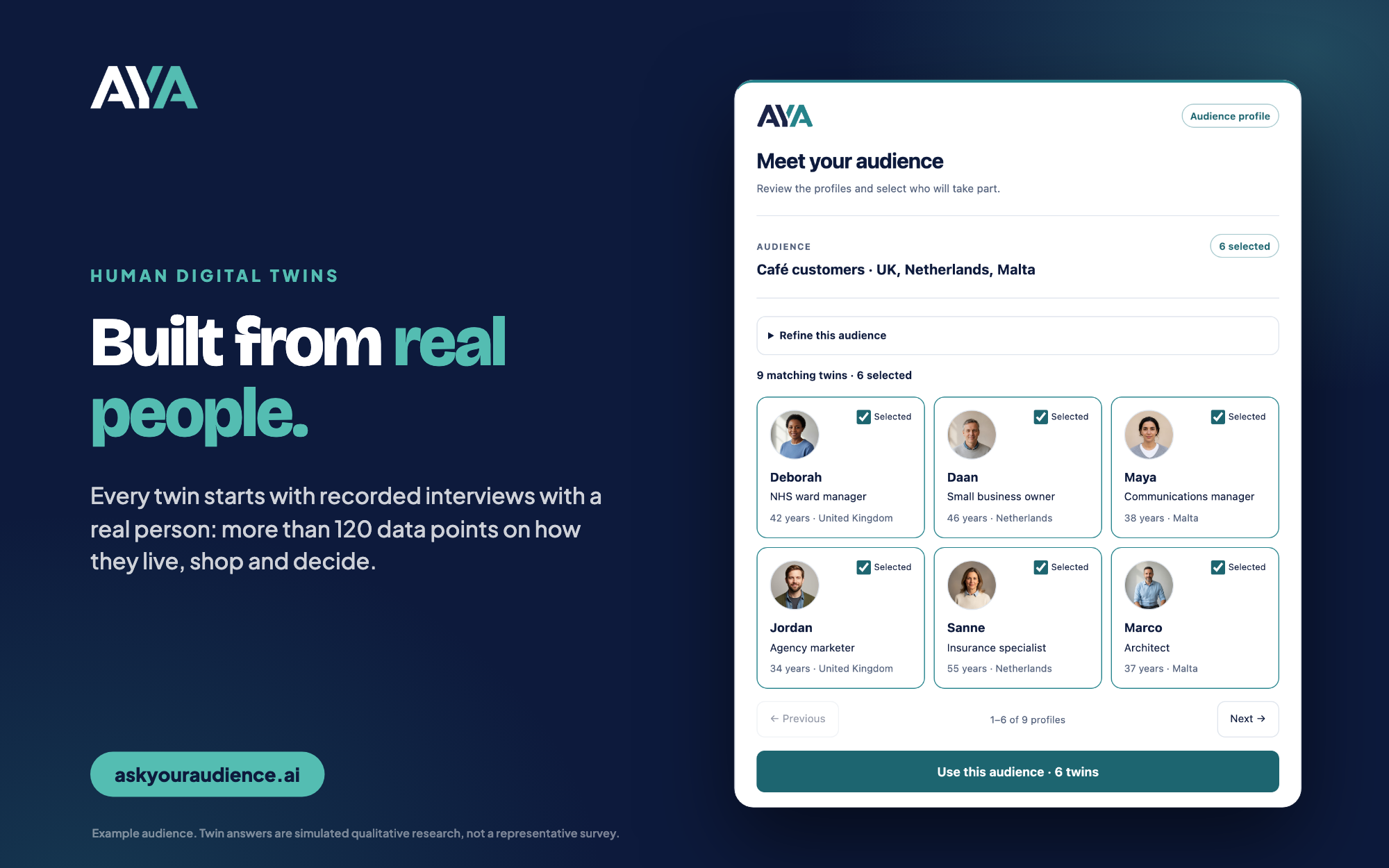
Ask Human Digital Twins what they think of your idea, message or ad without leaving Claude or ChatGPT. Every twin is built from a real person: recorded interviews and more than 120 data points on how they live, shop and decide. You get a clear answer, the reasons behind it and every response, in minutes rather than weeks.
Remote MCP server: https://mcp.askyouraudience.ai/mcp (Streamable HTTP, OAuth)
What you can ask
- Concept Test: how your audience reacts to a product idea, offer or message, and why.
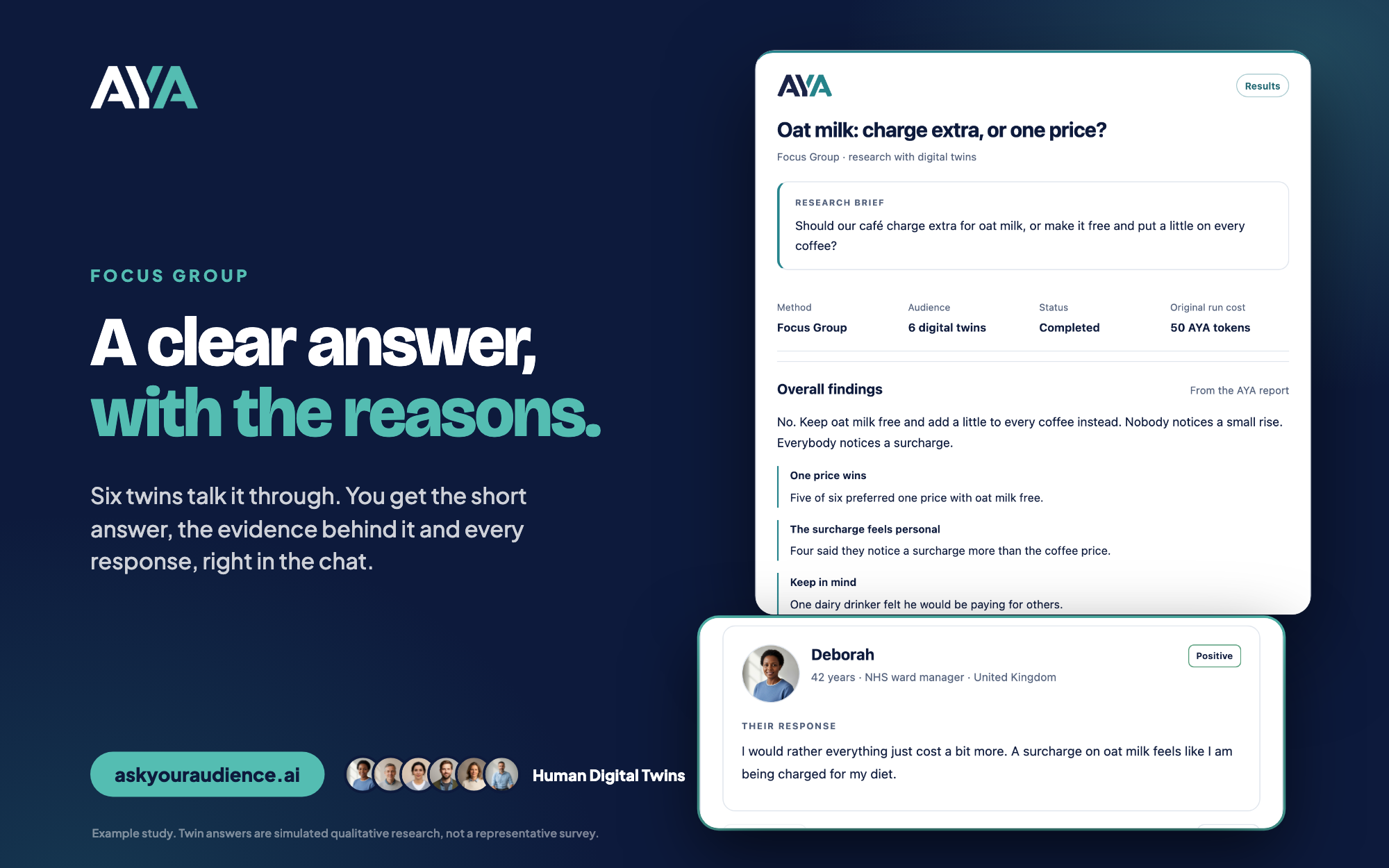
- Focus Group: six twins talk your question through. You get the short answer, the evidence and every response.
- Image Ad Evaluator: share an ad and see what twins take from it, how it scores and what to fix.
- Interview: one twin, one to one, with follow-up questions.
You choose the audience from those in your AYA account, by country, age, occupation and more. Image Ad Evaluator, Focus Group and Interview are available where enabled for your account.
How a study runs
- Ask. Describe your decision in the chat. Your assistant finds a matching audience in your AYA account.
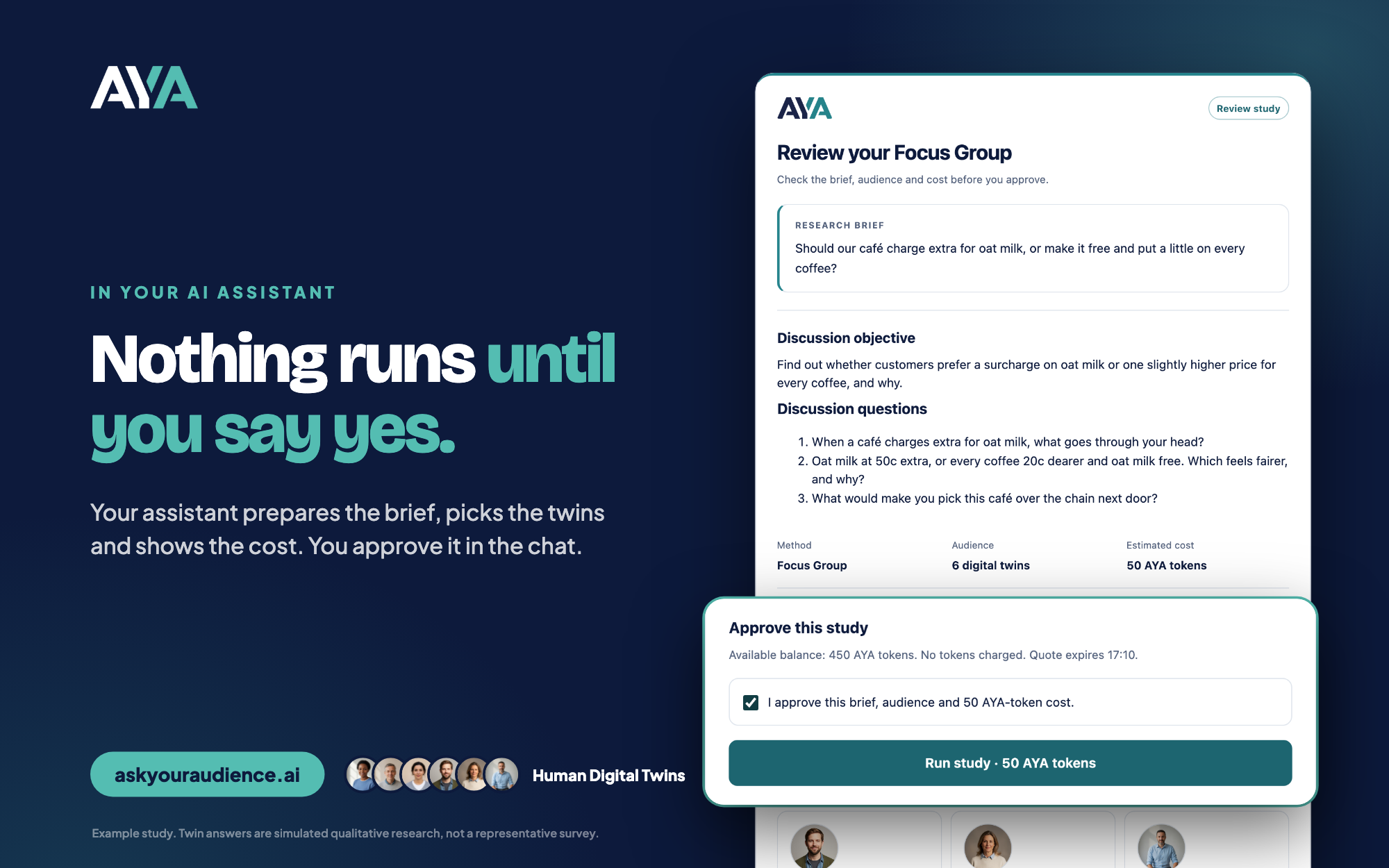
- Check. AYA returns the exact brief, the twins taking part and the cost in AYA tokens. Nothing is charged.
- Approve. You confirm in the chat. Nothing runs without your approval, and a quote expires after 15 minutes.
- Read. The study runs once. Your assistant discusses the findings and the evidence behind them, and links the full report in AYA.
| You approve every study | A clear answer, with the reasons |
|---|---|
 |  |
| Test an ad before you pay to run it | Ask one twin why |
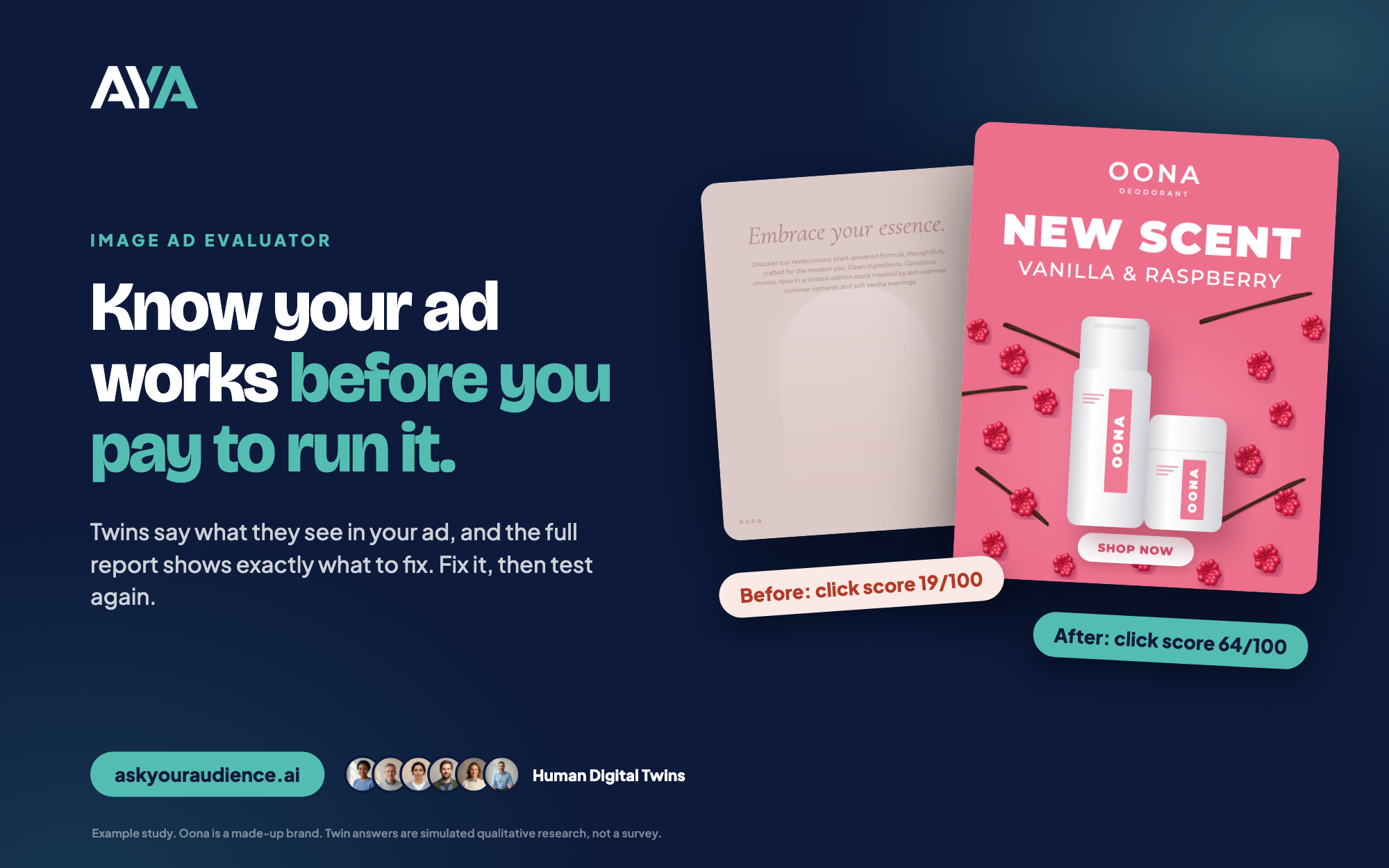 | 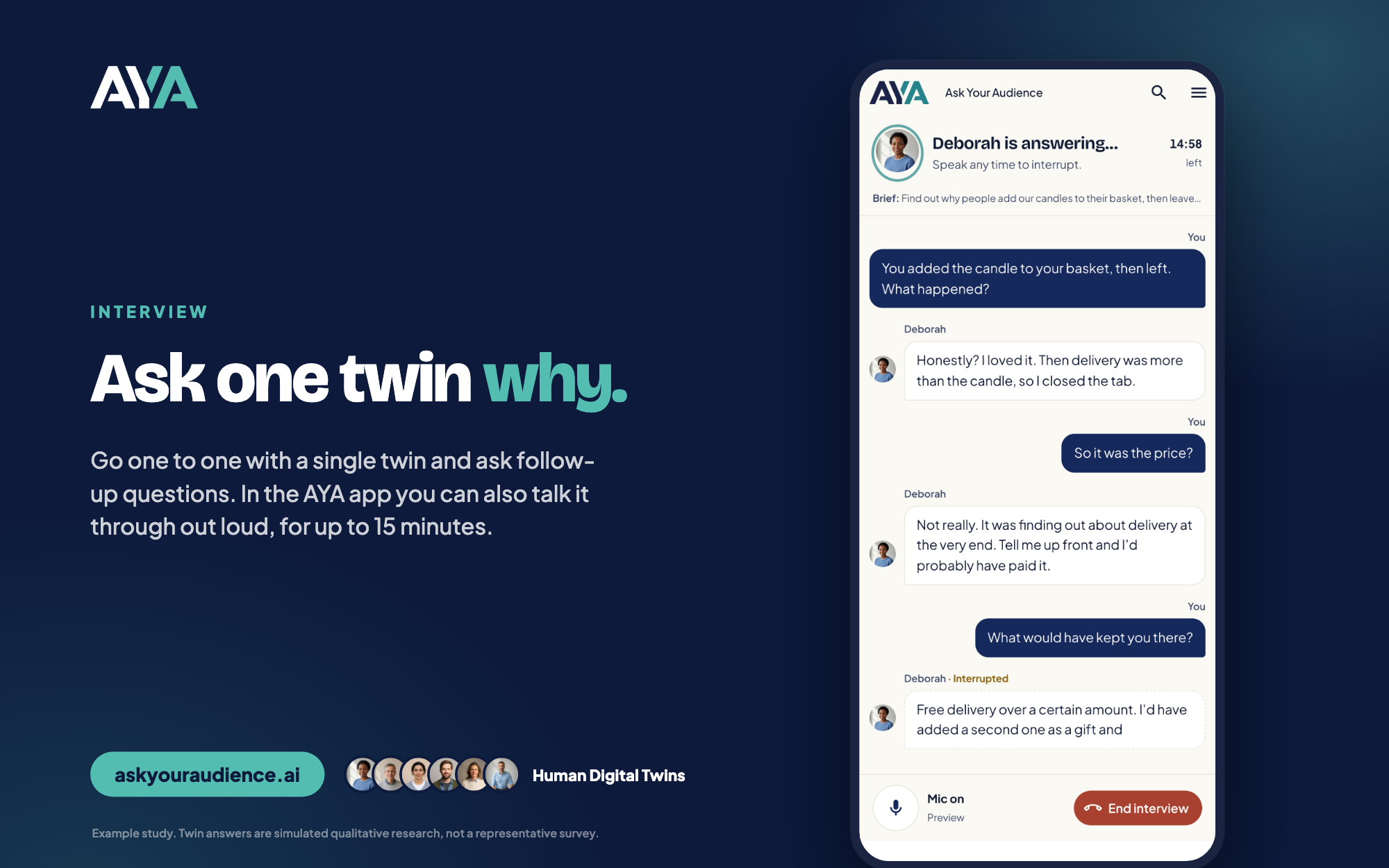 |
The screens show example studies. Oona is a made-up brand. Talking out loud with a twin is available in the AYA app.
Set it up
Claude (web, desktop, mobile)
- In Claude, open Settings → Connectors → Add custom connector.
- Name it
Ask Your Audience, enterhttps://mcp.askyouraudience.ai/mcpand leave the other settings as they are. - Choose Add, then Connect. Sign in to AYA and choose Allow access.
ChatGPT
- In ChatGPT, open Settings → Apps → Advanced settings and switch on Developer mode.
- In Settings → Apps, choose Create. Name it
Ask Your Audience, enterhttps://mcp.askyouraudience.ai/mcp, set Authentication to OAuth and choose Create. - Sign in to AYA and choose Allow access.
Claude Code
Inside Claude Code (v2.1.275 or later):
/plugin install ask-your-audience --marketplace Ask-Your-Audience/askyouraudience
Or from your shell:
claude plugin marketplace add Ask-Your-Audience/askyouraudience
claude plugin install ask-your-audience@askyouraudience
Then run /mcp, choose ask-your-audience and select Authenticate. Your browser opens AYA so you can sign in and allow access. Claude Code receives the sign-in on port 47561, so keep that port free.
You need an AYA account with at least one audience. Connecting and preparing studies are free. A study uses AYA tokens from your existing balance only after you approve its quoted cost.
Try asking
- "Should our café charge extra for oat milk? Prepare a focus group with my café customers audience and show me the questions and cost first."
- "Here's our new homepage headline. Prepare a Concept Test with my UK audience."
- "Help me understand the findings from my latest AYA study."
Good to know
Human Digital Twin answers are simulated qualitative research. They are not a representative survey or a prediction of real-world outcomes. Use them for a fast first read before you commit time or budget.
What's in this repository
This repository holds the listing package for Ask Your Audience. It contains no server code and no credentials.
These files are generated from AYA's internal source. Please report problems to [email protected] rather than editing the files here.
Support and policies
- Support: askyouraudience.ai/contact
- Privacy policy: askyouraudience.ai/privacy
- Terms of service: askyouraudience.ai/terms
The files in this repository are released under the MIT License. Use of the AYA service is governed by the AYA terms of service.